Berichten met #ComputerUse
#ComputerUse
Openbare berichten op X die #ComputerUse gebruiken.
Gerelateerde hashtags


Wild how we made AI this smart and then gave it a computer built for humans. Pine Computer is a computer built for AI. A few lines of code and your agent has its own machine, browser open, ready to work. Watch it boot up👇 #PineComputer #ComputerUseStanley Wei @StanleyWei4748AI is already smart enough. Real-world tasks are still slow, expensive and unreliable, because we hand AI a computer built for humans, then wrap it in a heavy harness. AI doesn’t need to get smarter. It needs a computer built for it. Today we’re releasing Pine Computer121573796K
AI is already smart enough. Real-world tasks are still slow, expensive and unreliable, because we hand AI a computer built for humans, then wrap it in a heavy harness. AI doesn’t need to get smarter. It needs a computer built for it. Today we’re releasing Pine Computer5687438.3K24.3M

The Hacker News@TheHackersNews‼️ New TeamViewer vulnerability (CVE-2026-111585) flips the script... the machine you connect to can attack YOUR computer. No click needed beyond accepting the session. Researcher got code running on a stock Windows viewer — default settings, defenses on. Here's how the attack works ↓12238412.1K
Cursor can now control your computer. Agents can drive desktop apps like the iOS Simulator to test the features they build.5334706.4K418K
A computer has an IP of 192.168.1.15. To send data to a website on the Internet, which device must it send the data to first? A. The Switch B. The Default Gateway C. The DNS Server D. The Modem631625026.4K
We've raised the max request size for Messages and Token Counting on the Claude API from 32 MB to 128 MB. Image-heavy requests like long computer-use sessions and big PDFs were previously hitting 32 MB with plenty of context window left. Now you get ~4x more room.2002566.6K342K
Before → call an LLM, then build the tools and execution loop yourself. With Pine → integrate one SDK, send a job, get finished work back. Prompt in. Work out. #PineComputer #ComputerUse #DeveloperToolsStanley Wei @StanleyWei4748AI is already smart enough. Real-world tasks are still slow, expensive and unreliable, because we hand AI a computer built for humans, then wrap it in a heavy harness. AI doesn’t need to get smarter. It needs a computer built for it. Today we’re releasing Pine Computer42553560.3K
How To Learn Computer@Computerlearn_How to Fix 100% CPU Usage in Windows 11 (30 Second Fix)25634118.5K
This line sums up the whole idea: “We spent years making the model smarter. Now, we’re making the computer worthy of the model.” Pine Computer is a cloud computer built for AI, with the intelligence to use it built in. #PineComputer #ComputerUse #pineaiStanley Wei @StanleyWei4748AI is already smart enough. Real-world tasks are still slow, expensive and unreliable, because we hand AI a computer built for humans, then wrap it in a heavy harness. AI doesn’t need to get smarter. It needs a computer built for it. Today we’re releasing Pine Computer52319036.3K

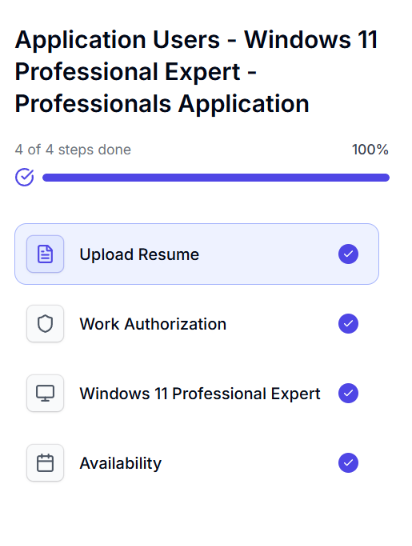
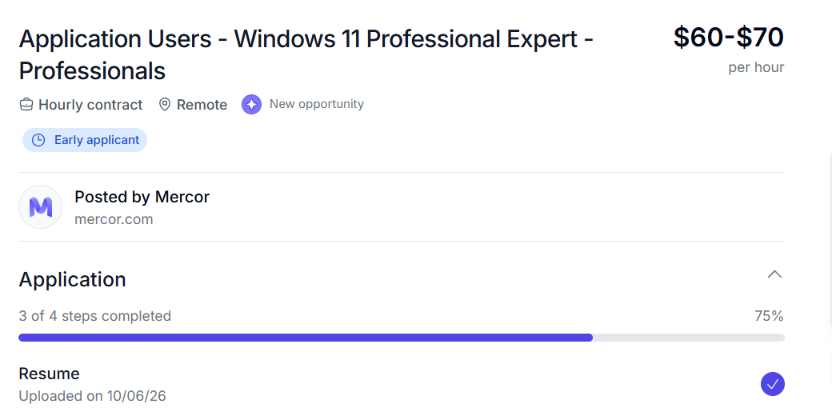
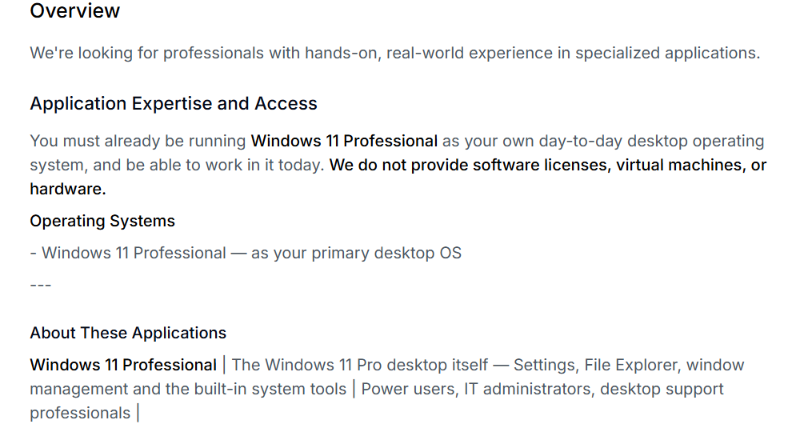
HOW TO SUCCESSFULLY COMPLETE THE INTERVIEW FOR WINDOWS 11 PROFESSIONAL EXPERT PROJECT Here are things to expect; 1. You'll be asked to share your full screen during the interview. Make sure you're comfortable with the screen-sharing process before starting. 2. During the interview you'll be asked to check your display resolution, navigate to your Windows display settings and read out your system's screen resolution when prompted. This is how to find it; Open Settings. Click System. Select Display. Look for Display resolution and read out the value displayed. 3. For the third Question you'll be asked to explain two Windows 11 tools you use. Some examples include: PowerShell: A command-line tool used to run commands, automate tasks, and manage system settings. Microsoft Paint: A simple tool for drawing, editing images, cropping pictures, and making basic annotations. Choose tools you're familiar with and explain what they do, how you use them, and what makes them useful. Be prepared to describe your actual experience with them. Once you've answered the questions about your display resolution and the two Windows 11 tools, the interview should be complete. Follow any additional instructions shown on the platform. TIPS TO HELP YOU PREPARE ✅ Ensure your Windows 11 computer is working properly before the interview. ✅ Familiarise yourself with your display settings and screen resolution. ✅ Practise explaining two Windows 11 tools in simple, clear language. ✅ Make sure your screen is ready to share and close any private windows or documents before the interview. ✅ Answer honestly and confidently. You don't need to use complicated technical terms to explain tools you understand. Good luck with your application!Udo @udosznFinally, a new opportunity just arrived on Mecor for Window 11 users If you know you have a laptop with windows 11 and 60-70$ per hour isn't too small for you Hop on this456688258.1K
Finally, a new opportunity just arrived on Mecor for Window 11 users If you know you have a laptop with windows 11 and 60-70$ per hour isn't too small for you Hop on this212015866.3K
Turn Your $0 Drawer Clutter into a $400 Walking Humanoid Robot Your old phone could be the brain of a walking humanoid robot. PhoneBot is an open-source robotics platform from UCLA that turns a regular smartphone into the robot's eyes, motion sensor & onboard computer.142939321.5K
This user gave Perplexity Computer, SSH access to a Raspberry Pi 5 over Tailscale. Overnight, it autonomously turned it into a game console with an arcade UI, toolchains and MCP integration. The console generates GBA, C, Rust and terminal games with automated compilation, playtesting, and error fixing. Computer also built a custom USB controller service with remapping, turbo, rumble and per-game profiles, plus a Minecraft-inspired multiplayer voxel game in C (141 KB binary) where the user can play alongside Computer as an AI-controlled robot, directed through in-game chat via MCP.862851942.6K
computer use with terra has crossed a qualitative threshold where it feels faster at using a computer than what i can do unassistedOpenAI @OpenAIGPT-6.1 Terra: delivering fast and capable computer use at a lower price. GPT-6.1 Terra understands what’s on screen, takes action across apps, writes naturally, and is a more capable model for your whole workday with the efficiency to take on more of it.182982.3K175K
GPT-6.1 Terra: delivering fast and capable computer use at a lower price. GPT-6.1 Terra understands what’s on screen, takes action across apps, writes naturally, and is a more capable model for your whole workday with the efficiency to take on more of it.1.8K2.5K28.1K6.7M
Best video for computer use visualization i saw till date if someone can make computer use look visually like this it will be so awesome like claude or codex mascot doing this realtime on screen86891.7K77.8K- Meer berichten tonen