Posty z #iOSdevtips

#iOSdevtips

Publiczne posty w X, które używają #iOSdevtips.

Powiązane hashtagi

  1. Abi_Taro@Avi_Dev29
    Apple just opened Retention Messaging to all developers. You can now show a message, image, or offer right when someone tries to cancel a subscription. Anyone already testing it? What messages are working? #Apple #iOSDevTips #developers
    Pobierz
    00036
  2. Lickability@lickability
    @lickability
    🪫 If the Xcode 14 beta is draining your laptop battery, our friend @chrisvasselli put together a blog post with a workaround! It's been a lifesaver. #iOSDevTips
    123
  3. Lickability@lickability
    @lickability
    We’re back with more #iOSDevTips 👋 If you’re localizing your app & not sure how to find every string you need to localize, edit your scheme and check “Show non-localized strings” in Run → Options. Then, look for all-caps strings. via @kharrison!
    Pobierz
    104679
  4. Lickability@lickability
    Every week, one of our iOS devs shares a special tip in the engineering meeting. Here’s this week’s tip from @mliberatore: Treat your Xcode search results as a to-do list and delete (⌫) results when you no longer need them. #iOSDevTips
    Pobierz
    10131450
  5. Jay Doshi✓@JayDoshi1011
    Hot take: SwiftUI is not just a UI framework; it's a productivity hack. → Faster prototyping → Cleaner code → Less boilerplate What do you think? 👇🏼 #iOSDevTips #SwiftTips #BuildInPublic #SwiftUI
    003299
  6. Lickability@lickability
    @lickability
    🛠✨ This week’s #iOSDevTips tweet comes from @MuseumShuffle, and @mliberatore has started using it regularly when Refactor and Edit All in Scope don’t fit the bill!
    Pobierz
    Chris Wu @MuseumShuffle
    TIL that in Xcode's "Find and Replace" section if you hold down the option key "Replace All" will change to "Replace All In Selection".
    215
  7. Chris Wu@MuseumShuffle
    TIL that in Xcode's "Find and Replace" section if you hold down the option key "Replace All" will change to "Replace All In Selection".
    Pobierz
    632104
  8. Lickability@lickability
    @lickability
    Another week, another #iOSDevTips tweet! We often attach gifs or videos to our pull requests to show reviewers our features in action. With Xcode 12.5, we’re able to save a few steps and record directly from the simulator! 😍
    102
  9. Lickability@lickability
    Xcode 15 has gotten so good! This is so much better than scrolling through a tiny list of parameter permutations. ➡️➡️➡️ #iOSDevTips
    Natalia Panferova @natpanferova
    One of my favorite improvements in Xcode 15 code completion is the ability to see all the possible parameter permutations for functions by pressing the right arrow key #WWDC23
    003683
  10. Natalia Panferova✓@natpanferova
    One of my favorite improvements in Xcode 15 code completion is the ability to see all the possible parameter permutations for functions by pressing the right arrow key #WWDC23
    2813422.4K
  11. Lickability@lickability
    @lickability
    If you’re ever writing UI tests and you want to see a textual representation of the UI tree, run print(XCUIApplication().debugDescription) 🤖 Thanks for the tip @UIGodess! #iOSDevTips
    Pobierz
    201
  12. Lickability@lickability
    @lickability
    This week's tip is from @daisyr317! You can specify a hex value when defining colors in asset catalogs by selecting an individual color variant and using the Attributes Inspector. Comes in pretty handy if your design system uses hex values! 🎨 #iOSDevTips
    Pobierz
    105
  13. Lickability@lickability
    @lickability
    🔂 One of our favorite tiny additions to SwiftUI this year is the new .buttonRepeatBehavior modifier, which lets you make buttons that keep performing an action as you hold them! #iOSDevTips
    Pobierz
    Hidde van der Ploeg @hiddevdploeg
    So nice that this is now possible with a single line of code in SwiftUI (hold to repeat the action) It even speeds up as you hold it 😍
    1131.3K
  14. Hidde van der Ploeg✓@hiddevdploeg
    So nice that this is now possible with a single line of code in SwiftUI (hold to repeat the action) It even speeds up as you hold it 😍
    Pobierz
    3723445.2K
  15. Lickability@lickability
    @lickability
    🤯👠 Our SwiftUI engineers are head over heels for this change. No more need for arbitrary Groups to work around the limit! #iOSDevTips
    Paul Hudson @twostraws
    ICYMI: Xcode 15b3 is out, and – hurray! – has removed the 10-view limit in SwiftUI. You can now add as many child views as you want without using Group 🎉
    002334
  16. Paul Hudson✓@twostraws
    ICYMI: Xcode 15b3 is out, and – hurray! – has removed the 10-view limit in SwiftUI. You can now add as many child views as you want without using Group 🎉
    1771456128K
  17. Lickability@lickability
    @lickability
    Here's a tip from @bcapps 📣 Starting in Xcode 11, you can mark assets as “development assets,” and they won't be added to your shipping app—which is great for test data in SwiftUI previews! #iOSDevTips
    1326
  18. Lickability@lickability
    @lickability
    🚂 Our engineers on larger projects have been waiting for this @github feature for a long time. Can't wait to queue up some PRs! #iOSDevTips
    113734
  19. Lickability@lickability
    🤔 Ever wonder how to create a variable blur effect without dipping into undocumented APIs? So have we! Anyway. Hope you’re having a nice week so far. #iOSDevTips
    1151.4K
  20. Gabriel Marquez@gmarquezrivas
    Hey iOS developers! Remember every time you encounter a bug or face a setback you're just one step closer to success. Embrace the failures, learn from them, and keep pushing forward. Who knows maybe you'll be the next big thing in the App Store! #FailToSucceed #iOSDevTips 📱💻🚀
    0011251
  21. Lickability@lickability
    If you’re as excited as we are about animated SF Symbols, this tip from @BigMtnStudio on how to animate them within labels is sure to come in handy! 🪄 #iOSDevTips #WWDC23
    Mark Moeykens @BigMtnStudio
    ❓Can you animate an SF Symbol within a Label in #SwiftUI? 💡Yes! Just add the symbolEffect to the Label and the changing value that triggers the effect to see the animation. 👉 One day left on the #WWDC23 Sale:
    0041.2K
  22. Mark Moeykens✓@BigMtnStudio
    ❓Can you animate an SF Symbol within a Label in #SwiftUI? 💡Yes! Just add the symbolEffect to the Label and the changing value that triggers the effect to see the animation. 👉 One day left on the #WWDC23 Sale:
    Pobierz
    11613123.9K
  23. Lickability@lickability
    @lickability
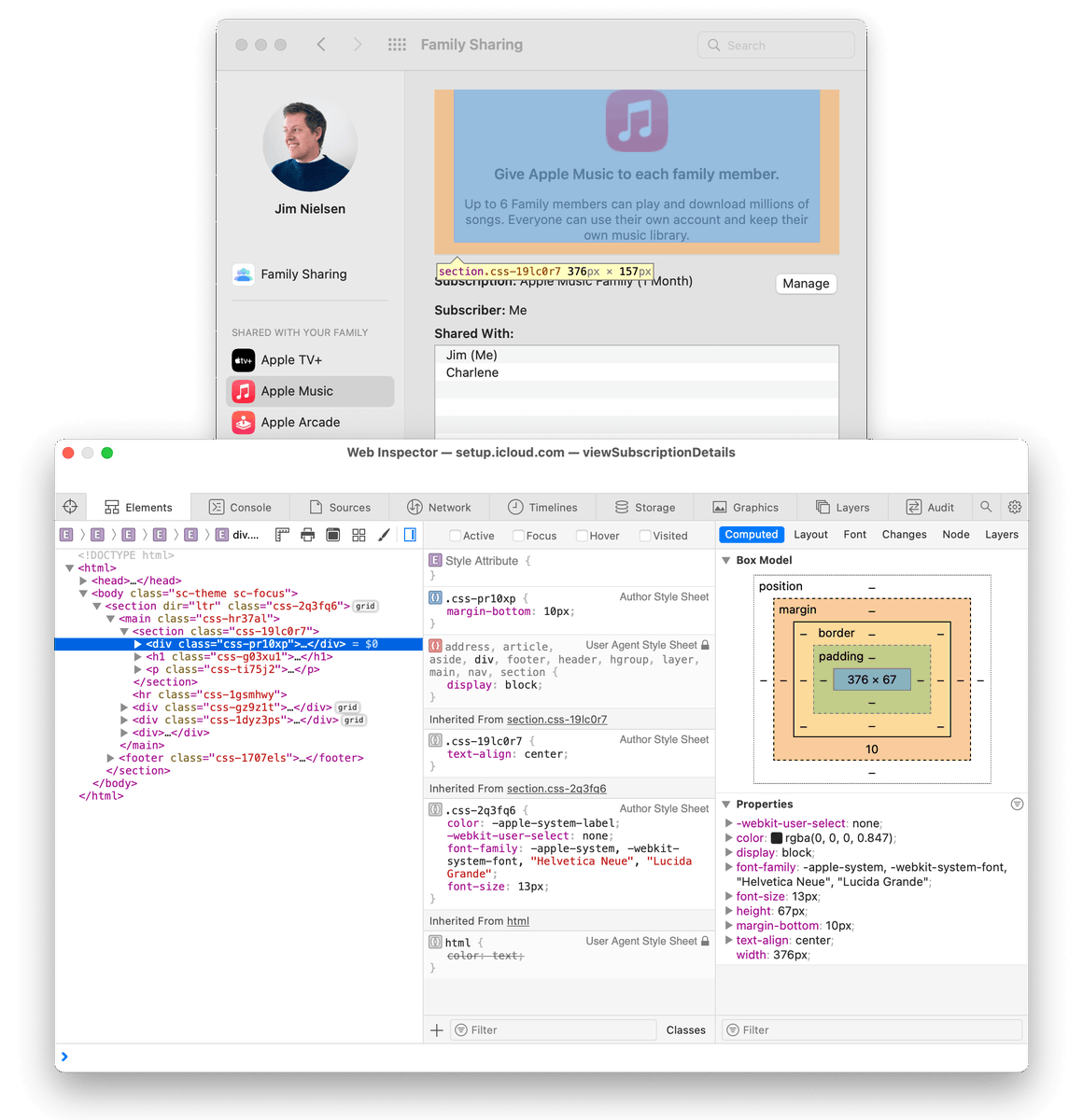
    👀 Ever wanted to know where and how Apple uses web views in their Mac apps? Use the Web Inspector from Safari → Develop → App Name. #iOSDevTips
    Jim Nielsen @jimniels
    📝 Blogged some about how you can use Safari’s Web Inspector to look under the hood of certain views in macOS. No real utility here—just fun. Thx to @samhenrigold for the tip.
    115
  24. Jim Nielsen@jimniels
    📝 Blogged some about how you can use Safari’s Web Inspector to look under the hood of certain views in macOS. No real utility here—just fun. Thx to @samhenrigold for the tip.
    Pobierz
    628201
  25. Lickability@lickability
    @lickability
    🔎 Have you ever needed to check if one Swift string contains another regardless of case? Use the options parameter on the .range() method & specify .caseInsensitive — thanks to our friend @twostraws for the tip! #iOSDevTips
    102
  26. Lickability@lickability
    @lickability
    This set of resources that recently came out is very helpful—thanks for sharing, @mikaela__caron 🙏 #iOSDevTips
    Mikaela Caron 🦄 @mikaela__caron
    💡Have you ever had an app idea, but no clue what to do next? I just saw this in the Apple Developer App, how to plan an app on all of Apple’s platforms, iOS, iPadOS, macOS, etc. It covers what you can do, where to start, and how to take your app further
    114
  27. Mikaela Caron 🦄@mikaela__caron
    💡Have you ever had an app idea, but no clue what to do next? I just saw this in the Apple Developer App, how to plan an app on all of Apple’s platforms, iOS, iPadOS, macOS, etc. It covers what you can do, where to start, and how to take your app further
    52088
  28. Lickability@lickability
    @lickability
    🤩 Our tip this week is from @UIGodess! To sort all the files in an Xcode group by either name or by type, select the group and navigate to Edit → Sort → By Name or By Type. #iOSDevTips
    Pobierz
    102
  29. Lickability@lickability
    @lickability
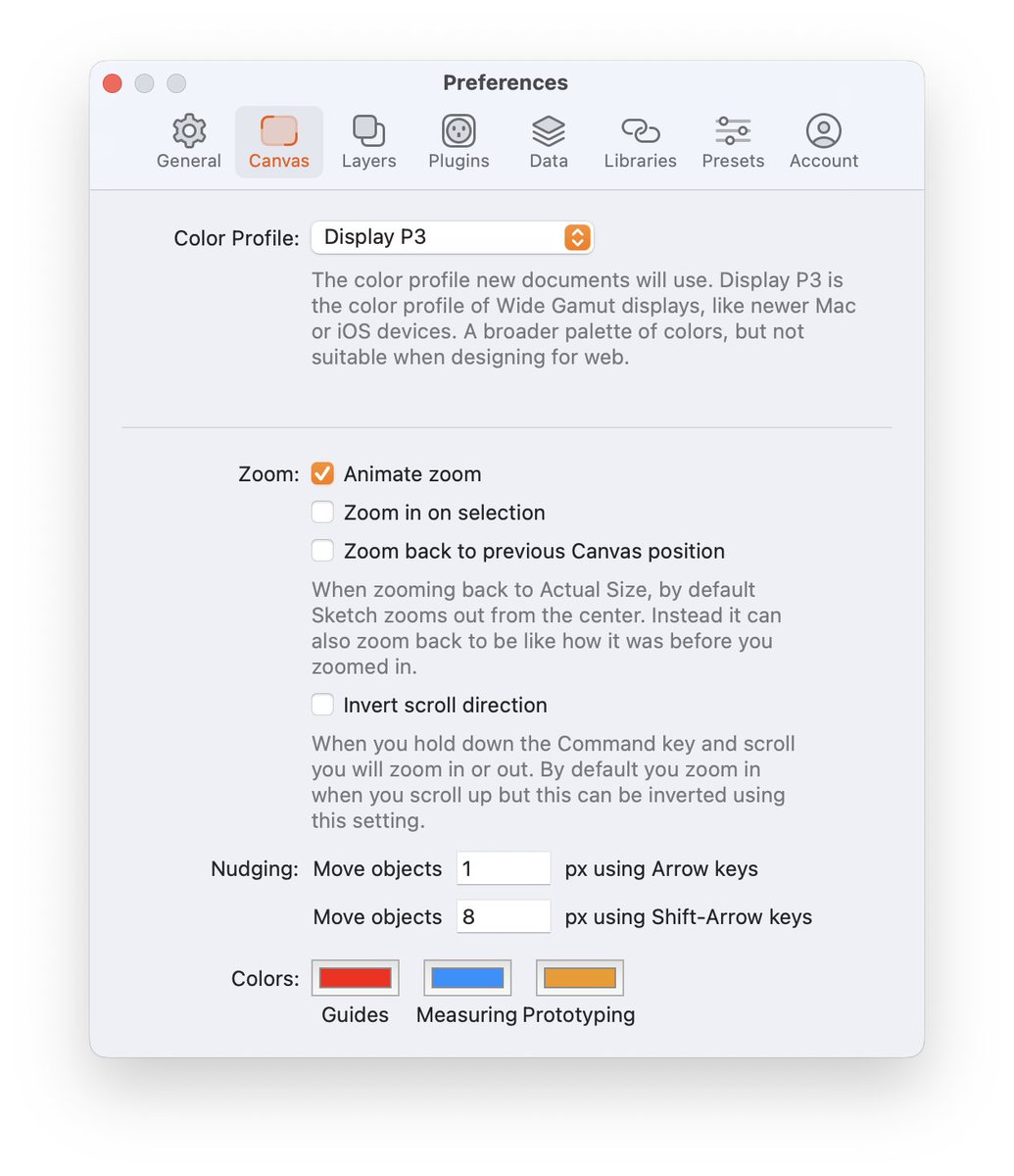
    If you’re not already using an 8pt grid in your designs, @sketch makes it super easy to get into the habit with a configurable nudge shortcut. Set it up in the Canvas Preferences, under “Nudging” 👇 #iOSDevTips
    Pobierz
    315
  30. Pokaż więcej postów