#pythontip from @raymondh:
Another interesting use of #python's walrus operator is to compute differences between successive values in a data stream.
>>> data = [10, 14, 34, 49, 70, 77]
>>> prev = 0; [-prev + (prev := x) for x in data]
[10, 4, 20, 15, 21, 7]
You can name your slices:
>>> record = "01234567890123456789I want this0123456789"
>>> IWANT = slice(20,31)
>>> record[IWANT]
'I want this'
#python#pythontip
#pythontip from @ratneshkush:
If you want to use R in Python notebook, use rpy2 package:
import rpy2
%load_ext rpy2.ipython
# start each cell with %%R
%%R
a <- 'Ratnesh'
b <- 'Data Science'
print(paste(a,b))
# [1] Ratnesh Data Science
#pythontip by @justmarkham:
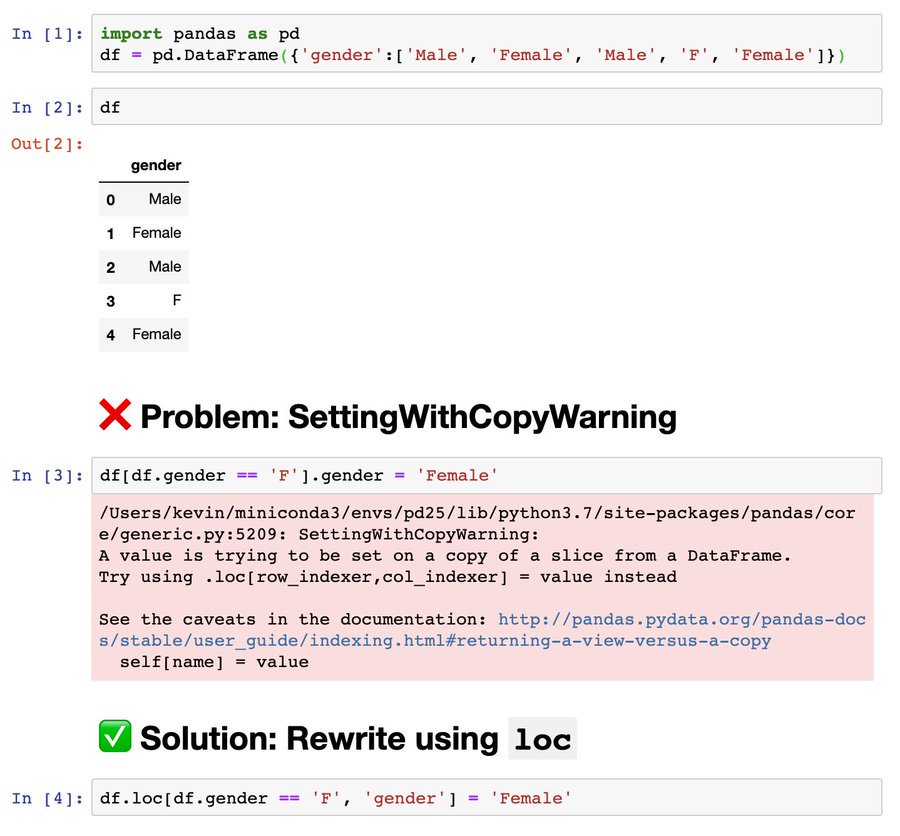
Did you encounter the dreaded SettingWithCopyWarning in #pandas? 🐼👻
The usual solution is to rewrite your assignment using "loc":
❌ df[df.col == val1].col = val2
✅ df.loc[df.col == val1, 'col'] = val2
See example 👇
📊 "#PythonTip: Use scatter plots in #Matplotlib to show the relationship between two sets of data. Ideal for correlation and distribution analysis. 🧮 #Python#DataScience"
Here's a simple example:
#PythonTip: Use #Python#Generator to optimize your Memory Input.
For reference, we load a CSV File where we pit a Normal Object, which loads the CSV by reading it versus a Generator Object, to compare their size.
Here we can save a lot of memory just by using - generators.
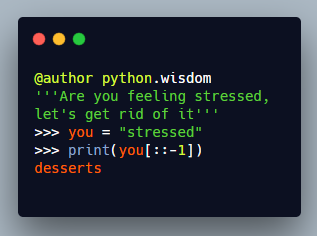
Are you feeling stressed?
Let's get rid of it
>>> you = "stressed"
>>> you[::-1]
"desserts"
Thanks @Saandipt for pointing us to
Do you have any #pythontip you want to share? Just mention @python_tip in your tweet or send it to
#pythontip by @bascodes:
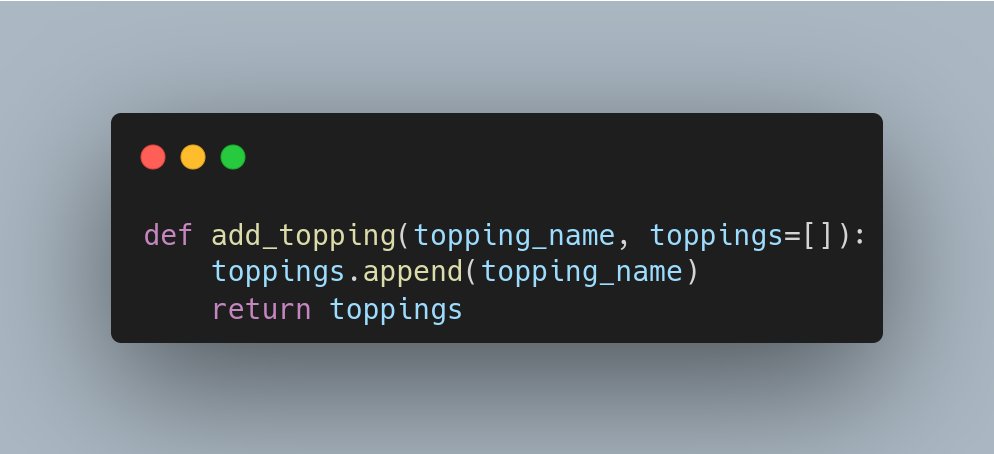
To avoid unintended consequences, change your function defaults arguments from (first figure) to (second figure).
Otherwise, calling the function without that optional argument will access the same list each time.
#PythonTip
Допустим, у вас есть строчка
y = f(x) + f(x)**2
Но вы не хотите считать f(x) дважды. Что делать? Заводить новую переменную?
fx = f(x)
y = fx + fx**2
Есть метод получше!
y = (lambda t: t + t**2)(f(x))
#PythonTip
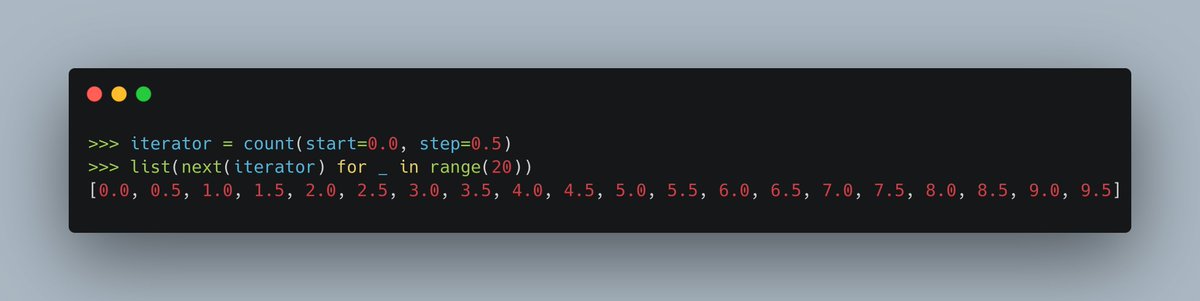
Use `itertools.count` to generate a range of floats pretty similar to how you can use `range(start, stop, step)` to generate a range of integers.