Beiträge mit #PythonProgrammer

#PythonProgrammer

Öffentliche Beiträge auf X, die #PythonProgrammer verwenden.

Verwandte Hashtags

  1. RabiX Security✓@rabixSecurity
    🐍 Build a Python Port Checker in Linux! 🔍 | Cybersecurity Tutorial Ever wondered how to check whether a network port is open or closed? 👀 In this short Python demonstration, I explore how the Socket Library can be used to check TCP port connectivity and understand basic network communication. 🔹 Learn about Python sockets 🔹 Understand TCP port checking 🔹 Explore open vs. closed ports 🔹 Discover basic network troubleshooting 🛡️ Security Tip: Understanding open ports helps you improve network visibility and identify unnecessary exposed services. ⚠️ Educational purposes only. Test only on your own systems or authorized lab environments. 👉 Follow RabiX Security for more Python, Kali Linux, and cybersecurity tutorials! #PythonProgramming #PortScanning #NetworkSecurity #kalilinux
    Herunterladen
    09581.8K
  2. Marvin Muhumuza@marvinwritten
    Python should solve real problems. In my new project I built a tool to: 1️⃣Compress PDF CVs 📑 2️⃣Shrink large videos🎥 3️⃣Using Python + FFmpeg 🐍 Watch: #PythonProgramming #LearnPython
    02334
  3. Python Coding✓@clcoding
    Python File Handling Made Simple! Want to learn how to read, write, and manage files using Python? This beginner-friendly guide covers everything from `open()` to reading and writing files. Let’s break it down step by step. 🧵👇
    Herunterladen
    52111310.7K
  4. Python Coding✓@clcoding
    @clcoding
    Python Coding @clcoding
    AUTOMATING EXCEL WITH PYTHON
    103352
  5. Python Coding✓@clcoding
    @clcoding
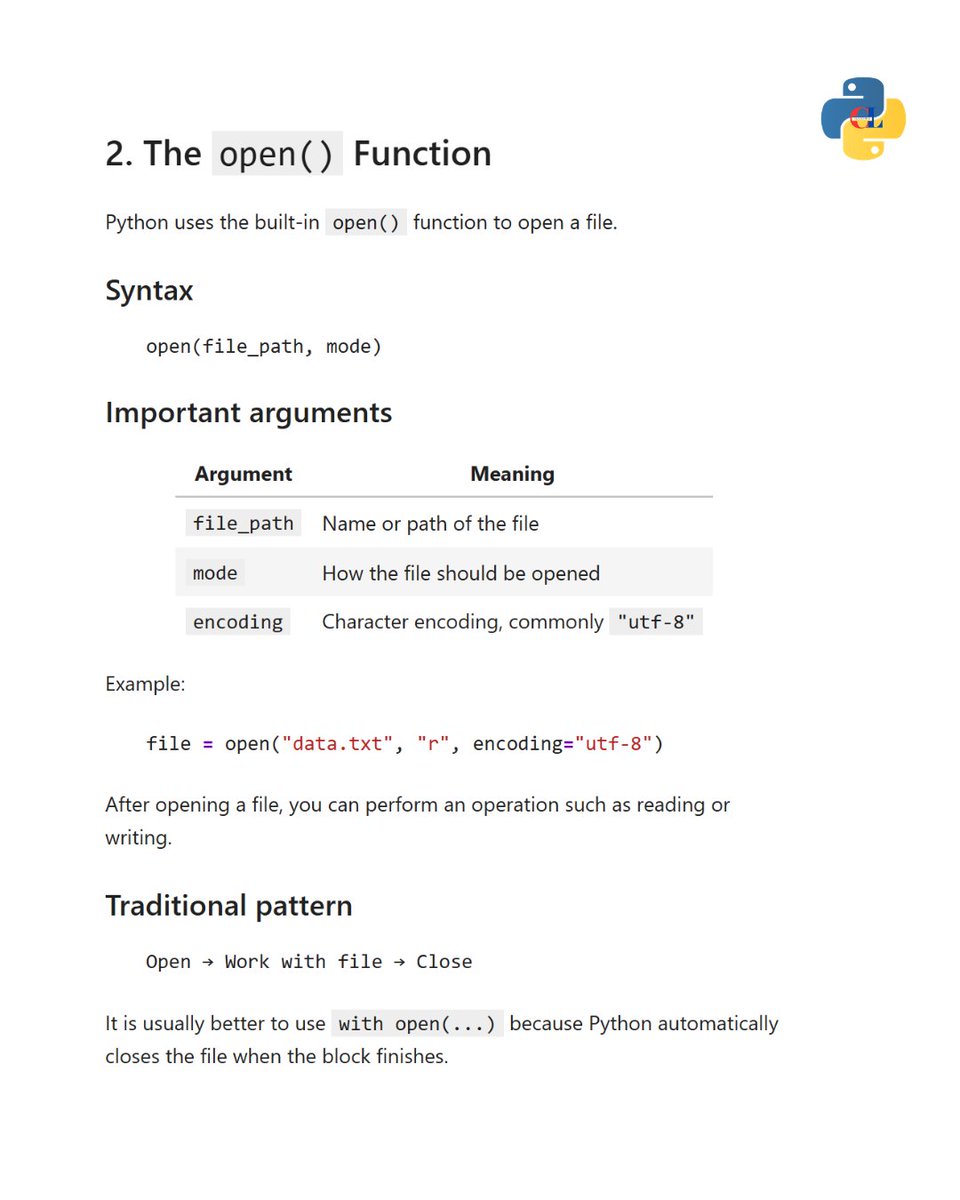
    2️⃣ The open() Function Python uses open() to access files. Basic syntax: open(file_path, mode) Example: file = open("data.txt", "r", encoding="utf-8") Here: file_path specifies the file. mode defines the operation. encoding specifies how text is decoded. Pro tip: Use with open() to close files automatically. #PythonProgramming
    Herunterladen
    101166
  6. Mehr Beiträge anzeigen