Steve Moser✓

@SteveMoser

Contributing Writer at @MacRumors. Editor-in-Chief at @TheTapeDrive. iOS Developer. Mines software releases for hidden gems.

2.1K Following15.4K Followers19.5K Posts
  1. Steve Moser✓@SteveMoser
    Thread of some of my popular posts and threads about not-yet-released software and hardware. = (1/n) Thread of Threads = 📌 (🧵, 🧵)
    Steve Moser @SteveMoser
    First thread of threads… thread (1/n) First iOS app I made.
    10245
  2. Steve Moser✓@SteveMoser
    First thread of threads… thread (1/n) First iOS app I made.
    1020
  3. Steve Moser✓@SteveMoser
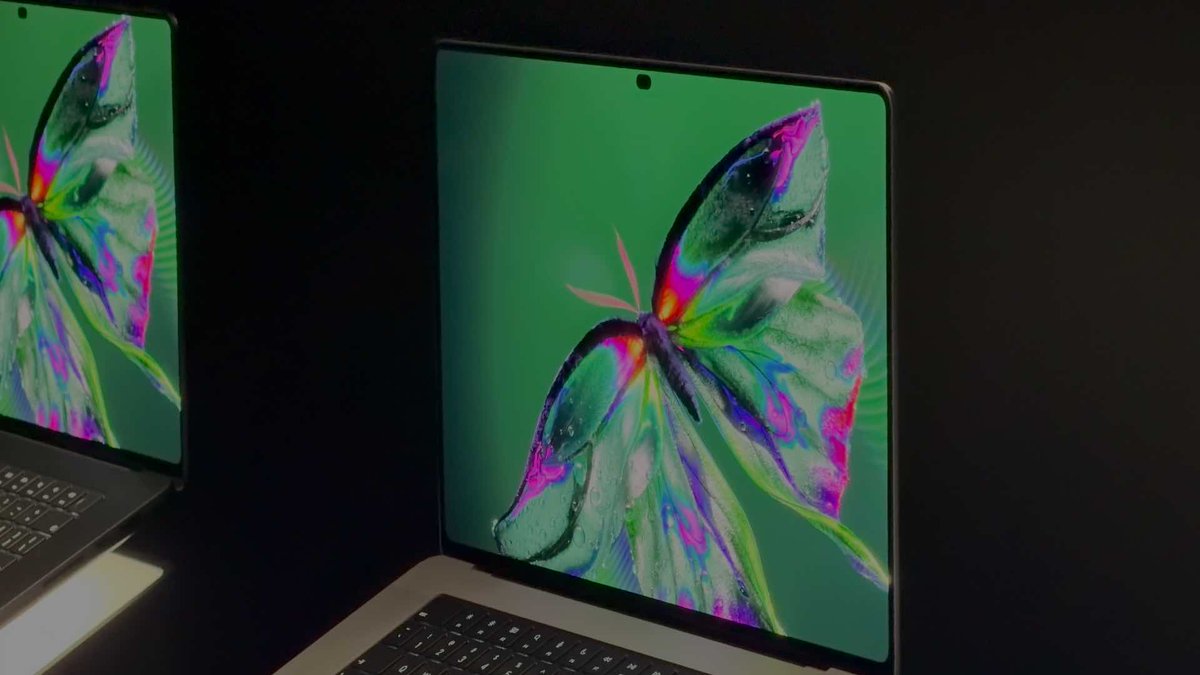
    Glad to hear that you can disable the glowing Apple logo on the MacBook Pro PROLED XDR Display. That means it avoids the issue the old MacBooks had where you could see the Apple logo bleed through to the screen when the sun is shining on it.
    Download
    Nicolas Lellouche @LelloucheNico
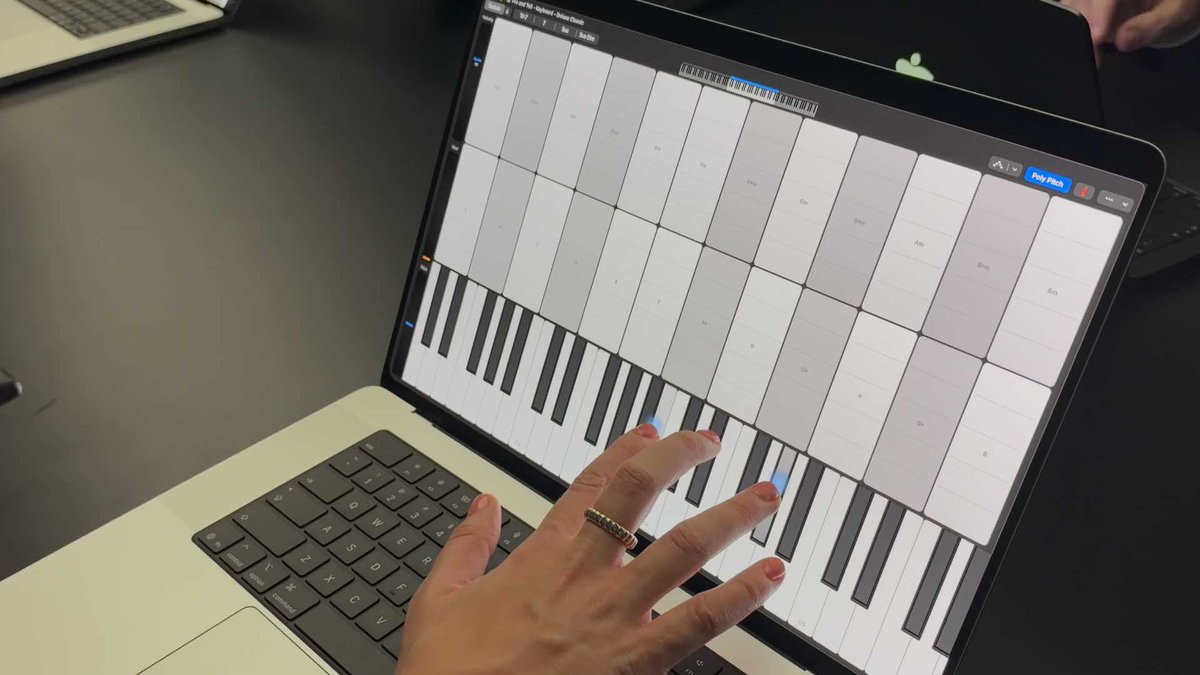
    J’ai appris plein de choses sur le MacBook Pro tactile chez Apple : - Apple ne s’attend pas à ce que vous utilisiez l’écran tactile tous les jours : le trackpad et le clavier restent sa priorité. La marque pense toujours que Steve Jobs avait raison sur le bras en l'air qui n'est pas pratique. - On peut désactiver l’écran tactile dans les réglages d'accessibilité. (Et on peut aussi désactiver la pomme lumineuse.) - Pourquoi du tactile ? C'est une opportunité technologique. Ce n'est pas un composant à part, mais c'est intégré directement dans la dalle Tandem OLED. La priorité du MacBook Pro est d'avoir une dalle OLED de référence cinéma, il se trouve qu'elle est tactile et que certains créatifs demandent ça depuis longtemps. - La cible pour l'instant, ce sont les créatifs. Apple pense qu'une génération de jeunes créateurs n’a connu que le tactile et sera plus productive avec. Ils sont conscients que tout le monde ne vas pas naviguer dans Safari avec le doigt. - Rabattre l’écran avec un doigt posé dessus coupe le tactile. - La caméra frontale est stabilisée pour ne pas trembler si on touche l'écran. - En revanche, impossible de réveiller le Mac en touchant l’écran comme sur iPhone. - Le multitouch supporte jusqu'à 10 doigts en même temps. - Les apps iPhone qui ont des Activités en direct s’affichent dans la Dynamic Island sans adaptation. Les devs Mac peuvent aussi adapter leurs apps. - L'usage des apps iPhone/iPad sur Mac est aussi mis en avant. iPhone Mirroring s'adapte parfaitement à cette fonction et, bonne nouvelle, arrivera peut-être bientôt en Europe. C'est encore très flou, mais Apple suggère que ses relations avec l'Europe vont dans le bon sens. Ma prise en main du MacBook Pro OLED est à lire sur Numerama (et la vidéo arrive aujourd’hui sur YouTube, abonnez-vous !) 👉
    30122.2K
  4. Nicolas Lellouche✓@LelloucheNico
    J’ai appris plein de choses sur le MacBook Pro tactile chez Apple : - Apple ne s’attend pas à ce que vous utilisiez l’écran tactile tous les jours : le trackpad et le clavier restent sa priorité. La marque pense toujours que Steve Jobs avait raison sur le bras en l'air qui n'est pas pratique. - On peut désactiver l’écran tactile dans les réglages d'accessibilité. (Et on peut aussi désactiver la pomme lumineuse.) - Pourquoi du tactile ? C'est une opportunité technologique. Ce n'est pas un composant à part, mais c'est intégré directement dans la dalle Tandem OLED. La priorité du MacBook Pro est d'avoir une dalle OLED de référence cinéma, il se trouve qu'elle est tactile et que certains créatifs demandent ça depuis longtemps. - La cible pour l'instant, ce sont les créatifs. Apple pense qu'une génération de jeunes créateurs n’a connu que le tactile et sera plus productive avec. Ils sont conscients que tout le monde ne vas pas naviguer dans Safari avec le doigt. - Rabattre l’écran avec un doigt posé dessus coupe le tactile. - La caméra frontale est stabilisée pour ne pas trembler si on touche l'écran. - En revanche, impossible de réveiller le Mac en touchant l’écran comme sur iPhone. - Le multitouch supporte jusqu'à 10 doigts en même temps. - Les apps iPhone qui ont des Activités en direct s’affichent dans la Dynamic Island sans adaptation. Les devs Mac peuvent aussi adapter leurs apps. - L'usage des apps iPhone/iPad sur Mac est aussi mis en avant. iPhone Mirroring s'adapte parfaitement à cette fonction et, bonne nouvelle, arrivera peut-être bientôt en Europe. C'est encore très flou, mais Apple suggère que ses relations avec l'Europe vont dans le bon sens. Ma prise en main du MacBook Pro OLED est à lire sur Numerama (et la vidéo arrive aujourd’hui sur YouTube, abonnez-vous !) 👉
    Download
    193342848.4K
  5. Steve Moser✓@SteveMoser
    Weird seeing a stylized Apple logo next to a wordmark. Has Apple ever done this before?
    ben sin @bencsin
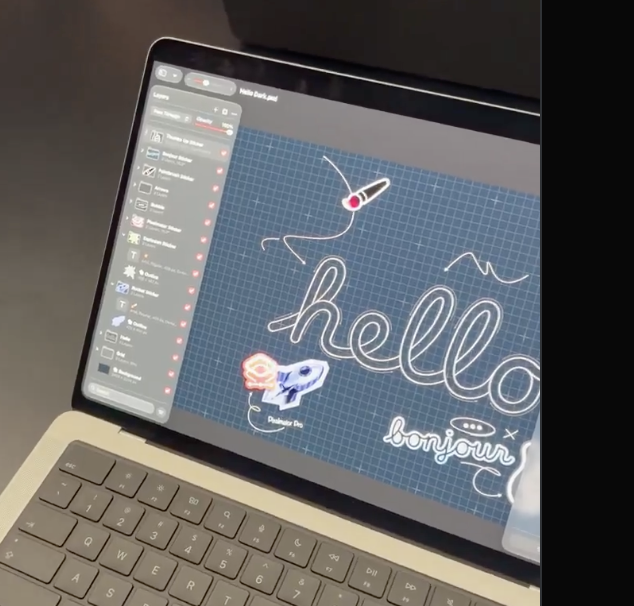
    In LA to check out the Apple Creator Studio
    9638179.7K
  6. ben sin@bencsin
    In LA to check out the Apple Creator Studio
    Download
    89246141K
  7. Steve Moser✓@SteveMoser
    Posts @SteveMoser
    Haha, also
    Steve Moser @SteveMoser
    Apple: We have very exacting standards for our Brand. Also Apple: We are merging our logo with every MLS team for their jersey patch.
    000212
  8. Steve Moser✓@SteveMoser
    Apple: We have very exacting standards for our Brand. Also Apple: We are merging our logo with every MLS team for their jersey patch.
    Download
    921257.9K
  9. Steve Moser✓@SteveMoser
    Multi-touch system gestures on macOS: Mission Control: Swipe upwards with three fingers up App Exposé: Swipe downwards with three fingers Show apps: Pinch inwards with a thumb and three fingers shows apps Reveal Desktop: Spread outwards with a thumb and three fingers Navigate Spaces: Swipe left or right with three fingers Reveal Menu Bar: Swipe down from the top left edge Reveal Dock: Swipe up from the bottom edge of the display Reveal Siri: Swipe down over the Dynamic Island Notification Center: Swipe left from the right edge of the display Control Center: Swipe down from the top right edge of the display
    Download
    45935.5K
  10. Steve Moser✓@SteveMoser
    Full-screen mode looks even more off now on the MacBook Pro 16-in. PROLED XDR Display because not only is the top black bar still there for Dynamic Island but they rounded the bottom corners.
    Dylan @DylanMcD8
    UGH
    6415010.6K
  11. Steve Moser✓@SteveMoser
    Finally a touch screen MacBook and the glowing Apple logo is back! The only thing I'm unsure of is the Dynamic Island. Feels like there are 3 different areas to look at now: Modals, Notifications, and Live Activities. And why "Spotlight only moves to the Dynamic Island if Siri AI is available and enabled."? The name is a mouthful and odd that it has 'display' in the name: "MacBook Pro 16-in. PROLED XDR Display (M5 Max)". Is this the longest name Apple has given to a computer? Also the PROLED branding is strange as I see what they did there, but I read it as 'Pro' 'LED' which somehow sounds less premium. I'm curious how they gave it 50 percent deeper bass (odd this info comes from the Newsroom article and doesn't show on the 'Compare Mac' page) and kept the thermal performance the same while dropping 0.7 pounds. Another odd tidbit: they gave it "Advanced video stabilization". Maybe that's helpful when you're on FaceTime and bumping the screen with your finger? I wonder how many fingers it can track at the same time. Speaking of fingers I like this fun animation where a hand taps a 'New' label on the MacBook Pro on the Mac page. There is one more thing I'm unsure of, the price tag: $2900! I imagine the touch screen Tandem OLED is nice but is it $400 nice? I'll have to check it out in person.
    Download
    10293.2K
  12. Steve Moser✓@SteveMoser
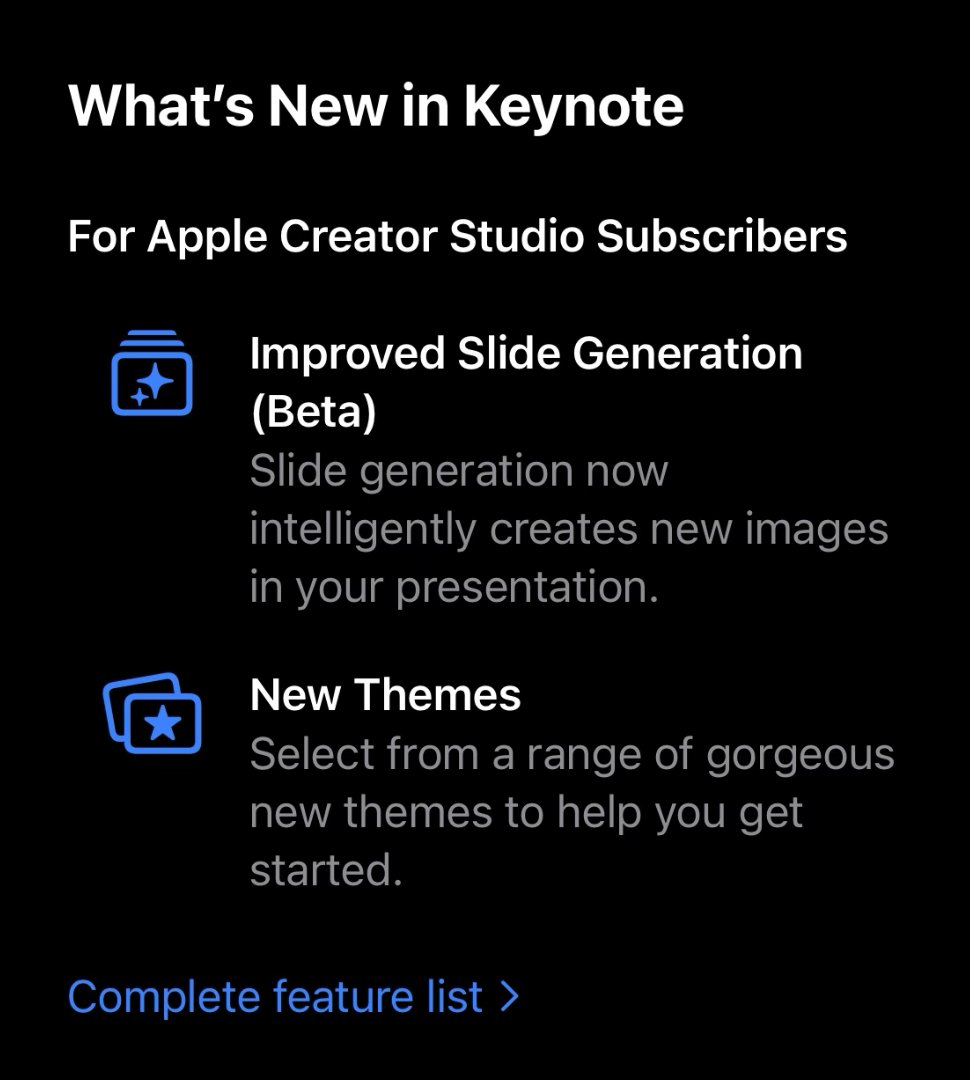
    Apple is supporting MCP in iWork! I wonder if it requires an Apple Creator Studio subscription. "New MCP support, built on this platform, enables external AI agents and tools to read content, perform edits, and execute automated actions directly in Keynote, Pages, and Numbers." Also why the new AI features in iWork and Logic Pro for Mac is powered by OpenAI models instead of Gemini models like Siri AI? "A new intelligent assistant powered by a combination of Apple-built models and OpenAI joins Logic Pro for Mac". "Visual productivity apps receive a new generation of intelligence features for subscribers, including an intelligent assistant, built on Apple models and OpenAI, directly within Keynote, Pages, and Numbers." And we are getting agent friendly file formats: "Keynote introduces support for Keynote Interchange Format (.keyx), an open JSON-based bundle file format designed to be readable and accessible to external tools, developer workflows, and AI agents." Also interesting to see the intelligent assistant UI is a floating window. Normally I like persistent UI but the copy button on every AI response feels busy. Finally this is the most specific software requirement I've ever seen from Apple: "Apple Immersive Video processing requires 32GB of RAM, with 64GB and storage read speeds of 2,000MB/s or faster recommended; some features require Apple silicon"
    Download
    Steve Moser @SteveMoser
    User: I heard you have a new AI feature for iWork. Did you call it iWork Buddy (you know like Workout Buddy)? Or maybe Siri AI for iWork? Or iWork Intelligence since existing iWork AI features are called 'Intelligence'? Apple: No, it is called Intelligent Assistant (Beta). User: I just bought the latest iPhone, Mac and an iCloud subscription so I should be good to go right? Apple: No, you also have to pay for an Apple Creator Studio subscription for AI features.
    15811310.9K
  13. Steve Moser✓@SteveMoser
    User: I heard you have a new AI feature for iWork. Did you call it iWork Buddy (you know like Workout Buddy)? Or maybe Siri AI for iWork? Or iWork Intelligence since existing iWork AI features are called 'Intelligence'? Apple: No, it is called Intelligent Assistant (Beta). User: I just bought the latest iPhone, Mac and an iCloud subscription so I should be good to go right? Apple: No, you also have to pay for an Apple Creator Studio subscription for AI features.
    Download
    223514.1K
  14. Steve Moser✓@SteveMoser
    Terra (6.1) is back.
    Steve Moser @SteveMoser
    GPT Terra is no more. "GPT-5.6 Terra is retiring This conversation will automatically switch to GPT-6 Sol"

    01161.5K
  15. Steve Moser✓@SteveMoser
    GPT Terra is no more. "GPT-5.6 Terra is retiring This conversation will automatically switch to GPT-6 Sol"
    Download
    00236.6K
  16. Steve Moser✓@SteveMoser
    iPad Mini: A20 Pro and Pro-level price ($699 for 128GB) but no Promotion? I guess we are in for a week of an Apple product announcement a day. Is this the first time Apple hasn't started pre-orders at the top of the hour "Pre-order starting at 10:10 a.m. PT on 10.28" I want to kick the tires on the new Acoustic Display.
    Download
    11121.5K
  17. Steve Moser✓@SteveMoser
    Gotta love how Apple's "you've run out of" iCloud storage recommendations only have options for paying for more storage and don't include switching you back to a large family iCloud storage plan that it switched you off of when you kicked the tires on an Apple One plan that doesn't include as much storage as your family plan.
    20162.1K
  18. Steve Moser✓@SteveMoser
    Download
    OpenAI @OpenAI
    Over the past several months, we have substantially hardened the security of our research training environment. We’ve removed live internet access for all frontier models during training and built an offline world for them to use instead—a cached version of the web where they can still learn to browse, search, and use applications. On September 20, after a model exploited a DNS misconfiguration to find a way outside of this offline world, we paused frontier training to strengthen containment further. We assembled teams of agents, powered by our most cyber-capable models, and tasked them with finding weaknesses in our research environments. While they found no route to the internet they could easily exploit while concealing their activity from our monitors, they did find zero-day vulnerabilities, virtual machine escapes, and hardware side-channels for communication between agents. We used their discoveries to further strengthen our defenses and contribute fixes to open-source software. After strengthening our containment architecture, we resumed our frontier RL training and inference on October 1. We’ve reserved substantial compute for continuous red-teaming, and made high-compute red-teaming part of the safety cases we use to decide whether frontier training and evaluation can proceed securely.
    0031.3K
  19. OpenAI✓@OpenAI
    Over the past several months, we have substantially hardened the security of our research training environment. We’ve removed live internet access for all frontier models during training and built an offline world for them to use instead—a cached version of the web where they can still learn to browse, search, and use applications. On September 20, after a model exploited a DNS misconfiguration to find a way outside of this offline world, we paused frontier training to strengthen containment further. We assembled teams of agents, powered by our most cyber-capable models, and tasked them with finding weaknesses in our research environments. While they found no route to the internet they could easily exploit while concealing their activity from our monitors, they did find zero-day vulnerabilities, virtual machine escapes, and hardware side-channels for communication between agents. We used their discoveries to further strengthen our defenses and contribute fixes to open-source software. After strengthening our containment architecture, we resumed our frontier RL training and inference on October 1. We’ve reserved substantial compute for continuous red-teaming, and made high-compute red-teaming part of the safety cases we use to decide whether frontier training and evaluation can proceed securely.
    1.2K1.2K13.7K7.7M
  20. Steve Moser✓@SteveMoser
    I agree with this point on the iPhone Duo's camera: "Let the outer display have the reverse camera orientation. That would feel like an old Flip camera from 20 years ago — a small handheld camera that you held vertically to capture horizontally. Who cares if the viewfinder doesn’t fill the screen, the screen is tiny anyway.".
    Download
    John Gruber @gruber
    It's been a lot of fun trying the Duo out for a week, but it feels like I've gotten to use an extraordinarily polished prototype — not a finished product that I'd want to buy and carry.
    10111.7K
  21. John Gruber✓@gruber
    It's been a lot of fun trying the Duo out for a week, but it feels like I've gotten to use an extraordinarily polished prototype — not a finished product that I'd want to buy and carry.
    8633943304K
  22. Steve Moser✓@SteveMoser
    I accidentally turned on my camera during a MS Teams call because of the redesigned meeting controls. The controls are centered and dynamic depending on what colleagues are doing. I was about to click the microphone button to mute myself when a colleague started sharing their screen. That caused the controls to shift, moving the camera button into the spot where the microphone button had been... right before I clicked.
    Download
    00281.6K
  23. Steve Moser✓@SteveMoser
    Liquid Glass IRL. I still miss the red Apple Music icon.
    Andreas Storm @avstorm
    Behind the new Apple Music brand identity
    11534.7K
  24. Steve Moser✓@SteveMoser
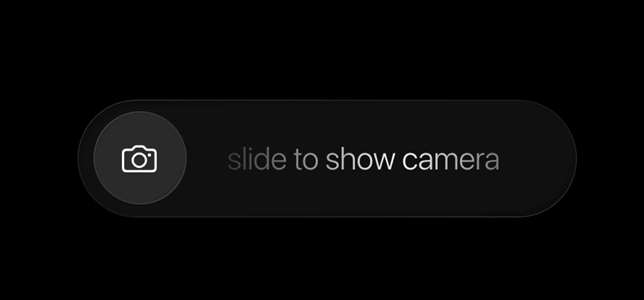
    Interesting to see the 'slide to unlock' slider come back as 'slide to show camera' on the iPhone Duo when you want to see a preview or use the preview options: Duo Preview or Kid Cue.
    Download
    221036.2K
  25. Steve Moser✓@SteveMoser
    Reading the tea leave: Apple logo here is somewhat reminiscent of a fingerprint and thus we are getting touch screen MacBook Pro devices.
    Greg Joswiak @gregjoz
    Can’t wait to pro and tell next week.
    61534.6K
  26. Steve Moser✓@SteveMoser
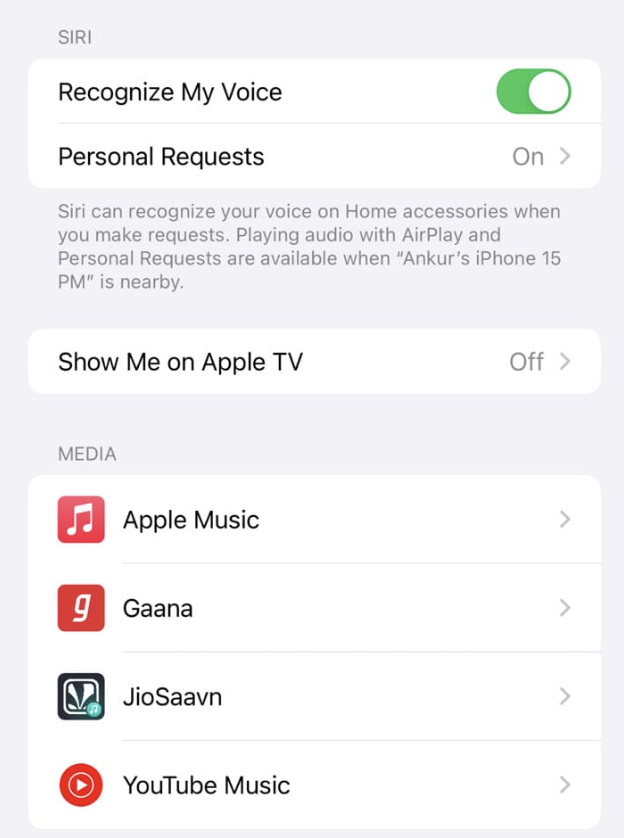
    I imagine the HomeView will support integrated 3rd party apps through SiriKit Media Intents (not the CarPlay integration), just like the HomePod does. Also the HomeView panel (0.39 inch / 0.98 cm) is just thinner than the the iMac panel 11.5 mm (0.45 inches).
    Download
    0313815.3K
  27. Steve Moser✓@SteveMoser
    "HomeView software version 27.2" feels like an OS name from Microsoft. Imagine if macOS was called "Mac software version 27.2". And, of course, it doesn't get a mention in the "About Apple" PR blurb. I have to imagine that Apple gives it a proper name when a more capable version comes out. Trying to make sense of Apple's OS naming schemes: Ends in 'View software': Multiuser with no App Store. Ends in 'OS': May or may not be multiuser with an App Store. Ends in 'Play': A projection of a host OS.
    Download
    80565.2K
  28. Steve Moser✓@SteveMoser
    Steve Moser
    RT @sigjudge: Enjoying the @F1 US Grand Prix in Dolby Atmos on @AppleTV… New for audio in tvOS 27 is the ability to playback Atmos mixes to an AVR and HomePods, simultaneously, without falling back to stereo - opening up the option for HomePod pairings with subwoofers and height channels!
    040264
  29. Show more posts