Code Monkey✓
@UnityCodeMonkey
Teaching Game Development and Programming using Unity and C# https://t.co/YvPfuTJmIz
163 Following27.6K Followers3.4K Posts
- Hey everyone! I just published my *How to Publish your Game on Steam* course! Learn how to take your game and put it up on Steam to (hopefully) sell millions of copies! It's in Early Access with about 90% of it done, I have to wait for Steam to finish reviewing the build and launch the game that I used as a demo in the course on November 12th, but basically all of it is done. And it has a nice *bonus Early Access discount* running until then! (or if you're a member of my Game Dev Practice Lab on the Professional Tier you already have access to the course here ) Intro Video: It's a really nice course explaining how to publish your game on Steam and how to use all the tons of Steam features that they have. Hopefully this helps you put your games on Steam and get tons of players and (hopefully) sell millions of copies! Lots of people have asked me to cover this topic so hopefully this super detailed course will help you! And if you're not interested in a paid course, that's fine! Afterwards I will be doing a quick 10 minute video on how to publish on Steam, so if you want all the detail for the best odds of success for your games then get the course, otherwise just stay tuned for that upcoming FREE YouTube video. Thanks everyone! I hope you like it!
 0113548
 - Who is clean code mainly written for? A) The compiler B) The operating system C) The programmer reading and modifying the code (answer in reply below)3171.2K
- Posts @UnityCodeMonkey#### ANSWER #### #### ANSWER #### #### ANSWER #### #### ANSWER #### #### ANSWER #### #### ANSWER #### #### ANSWER #### #### ANSWER #### #### ANSWER #### #### ANSWER #### #### ANSWER #### #### ANSWER #### (C) The compiler does not care if your variable is called h or healthAmount. It just turns the code into something the computer can run. Clean code is for humans, for you the programmer. It helps you understand, debug, modify, and expand the project without wasting tons of mental energy. Check out my talk on YouTube titled: "How to Write High Quality Code that doesn't fall apart"001307
- Q: How much money do you LOSE if your game is buggy? A: A HUGE amount! Constantly test your games to make them as bug free as possible, and use great tools to help you get notified when a player fins a bug so you can FIX it!12141.6K
- One AMAZING thing about today's world is how knowledge is easily accessible and FREE! Anything you want to learn, you can learn it for FREE on the Internet! That's awesome! When I was starting out YouTube did not exist and the web was much more limited, but nowadays you have access to High Quality education so you can learn anything you want to learn! As a kid I wanted to learn how to make games, but back then the tools were very tough to use with no educational content anywhere. I remember trying to learn something called "DarkBasic" and I couldn't even get a cube to show up on screen. Nowadays you have all kinds of game engines, Unity, Unreal, Godot, all of them completely FREE! Same thing for knowledge, if you want to learn you can find free tutorials and courses, all it takes is just a desire to learn. I'm happy that nowadays I have knowledge and I can contribute to what I wish had existed back when I was starting out, FREE knowledge to help anyone who wants to learn how to make games! Check out all my FREE courses HERE! I hope you learn a lot! Best of luck in your game dev journey!
 1214895
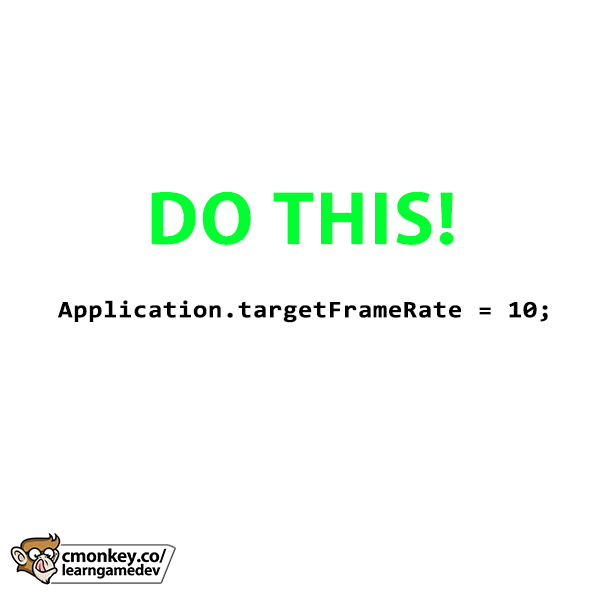
 - PRO-TIP: Always test your game at low frame rates! Just do: Application.targetFrameRate = 10; and try to play through your whole game. You will quickly catch bugs that you won't notice at 60FPS. For example if you do a simple distance check to see if a Unit has reached a target position: transform.position += moveSpeed * Time.deltaTime; if (Vector3.Distance(transform.position, targetPosition) < reachedDistance) { } That code might work perfectly at 60FPS because the Time.deltaTime is tiny, but at 10FPS since the Time.deltaTime is huge it might break if the unit never gets close enough to the target position. So test your game at low frame rates to ensure it will work, even on low end machines. This simple tip will save you a lot of headaches after release! - Code Monkey
 8101344.4K
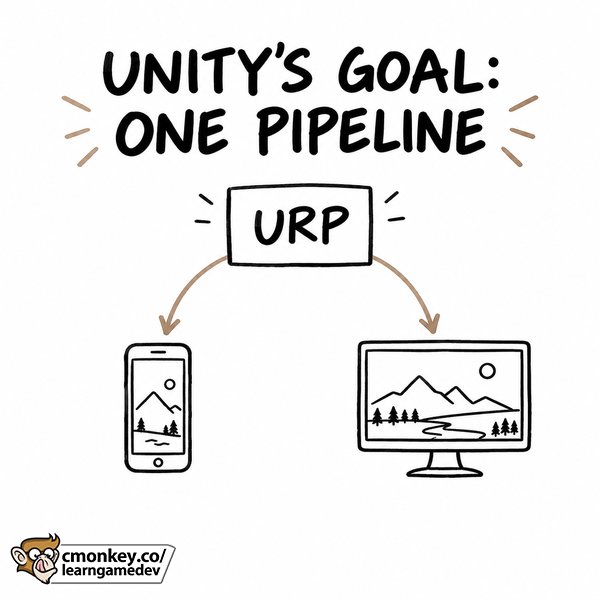
 - Unity is finally moving toward ONE render pipeline! One of the biggest benefits will be less confusion when you start a project. I see these questions all the time: Which template should I choose? Will this asset work? Can I follow this tutorial with my render pipeline? My answer has always been "just use URP and don't worry about it" but naturally even though the answer is simple beginners still have those questions. Although if there's only one option then there's much less confusion! BUT this transition is not here yet, it's happening in stages: - Built-in is removed in Unity 7.0. - HDRP is deprecated in Unity 7.0, but remains supported through the first Unity 7 LTS. Removal comes afterwards. - URP is the foundation Unity is continuing to expand. And URP is already getting some very interesting graphics updates. The Unity 6.7 beta includes Surface Cache Global Illumination, (Lumen for Unity) screen-space reflections, and GTAO Ground Truth Ambient Occlusion. Their goal is one scalable pipeline for different platforms and art styles. You choose the features that make sense for your project and target hardware. So one single pipeline that covers high end PCs and low end mobile devices.
 02311.5K
 - What is one of the easiest ways to instantly improve code quality? A) Use better names B) Add more comments everywhere C) Make every field public (answer in reply below)71101.9K
- Posts @UnityCodeMonkey#### ANSWER #### #### ANSWER #### #### ANSWER #### #### ANSWER #### #### ANSWER #### #### ANSWER #### #### ANSWER #### #### ANSWER #### #### ANSWER #### #### ANSWER #### #### ANSWER #### #### ANSWER #### (A) Good naming is one of the simplest and most powerful clean code improvements. If I name classes, variables, and functions clearly, the code becomes much easier to read without changing the actual behavior at all. If you just follow this one guideline your code quality will improve 1000x. Check out my talk on YouTube titled: "How to Write High Quality Code that doesn't fall apart"002326
- Steam's Update gives more indie devs MORE OPPORTUNITY! Steam Daily Deals are insanely valuable! Some games make literally tens of thousands of dollars in a single 24 hour period, but previously getting a Steam Daily Deal was only available to a handful of games through manual curation. But Steam ran a personalization experiment that showed over 10 TIMES as many games per day in its Discounts & Events section (mostly Daily Deals), and this change will be going live in the future! That could create more opportunities for indie games to get noticed, BUT it does NOT mean your game automatically gets 10X more views or sales. In order for the algorithm to find the RIGHT audience for your game, you need to make sure your Tags and Store page are set up correctly. So here are three things you can work on right now to benefit from this update: - Use accurate tags that describe the game you actually made. (check More Like This on your game to see if it is recommending similar games) - Make your store page show exactly why your target audience would enjoy it. (don't try to convert a Visual Novel player to play your hardcore survival game) - Plan your discounts in Steamworks to potentially get on the discounts section. More opportunities to be seen can help, BUT your game still needs to give a specific audience a reason to care. A generic clone does not become appealing just because more people see it. More details on the video in my YouTube titled: "Sell 25,000 copies in 24 HOURS? Steam's Update EXPLAINED!" This change is rolling out on Steam in early 2027. But it's yet another Steam change that looks to be a very positive for indie devs!
 23282K
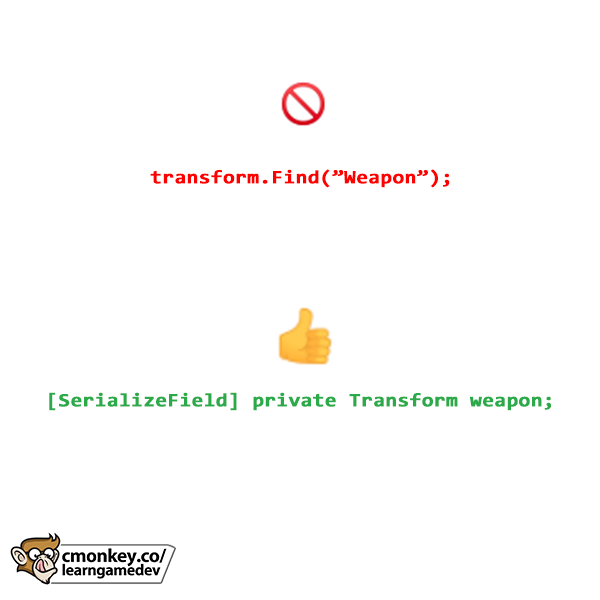
 - Do you use transform.Find() in your code? Stop! I highly advise against it for one simple reason: Find uses strings and strings are horrible identifiers. Strings are extremely brittle, it is very easy to make mistakes. If you have the string "Player" and "PIayer" they look similar but are completely different, as is "BOne" vs "B0ne" or "Elite" vs "Eli7e" or simply "Player" vs "Player ", invisible spaces have driven me insane many times in the past. All of those are completely different but hard to tell at a glance. And those are also perfectly valid strings in terms of code compilation, so you won't get any errors until you run the game and everything breaks. Because of that I highly recommend you avoid using strings as identifiers whenever possible, which thankfully in Unity you can avoid them with only a handful of exceptions (like Animator parameters) So instead of using transform.Find(); just use a [SerializeField] and drag the reference in the editor. This one simple change will help you avoid so many headaches. - Code Monkey
 12221.1K
 - Do you know what is the current HOT genre on Steam for indie devs? How much a Daily Deal is worth? How maybe the co-op ONLY games era is coming? Or why this game made $350,000 in 24 HOURS? These are all things I covered in my Game Dev Report Newsletter! The latest Game Dev Insights straight to your inbox every Sunday. Being an indie dev is hard, but if you stay up to date with what is going on in the industry things become much easier. Check out my newsletter HERE!
 22221.7K
 - Is this valid code? Color? myColor = null; A) Yes B) No, myColor is a struct and cannot be null (answer in reply below)31125.5K
- Posts @UnityCodeMonkey#### ANSWER #### #### ANSWER #### #### ANSWER #### #### ANSWER #### #### ANSWER #### #### ANSWER #### #### ANSWER #### #### ANSWER #### #### ANSWER #### #### ANSWER #### #### ANSWER #### #### ANSWER #### (A) Structs indeed cannot be null however in this example code myColor is not a Struct but rather a Nullable. Note the Question mark ? after the type, that marks the type as Nullable. When you make something Nullable you can make that type null, regardless of what that type is. This is all valid code: Color? myColor = null; int? myInt = null; bool? myBool = null; I have a lecture on Nullables in my C# Course004689
- Show more posts