Muhammad Bilal
@Bilal_Developer
I help founders build SaaS & AI-powered products and automate manual workflows with Claude. https://t.co/lCnuIBYgdo
365 Following178 Followers583 Posts
- Muhammad Bilal@Bilal_DeveloperBefore building an application, we design the design system first.00116
- Muhammad Bilal@Bilal_DeveloperChasing dreams, building a career, taking care of my parents, dreaming of a home, and trying to figure it all out alone #saas #claudecode #app #webapplication #webdesign00488
- Muhammad Bilal@Bilal_DeveloperBuilt your app with AI? Don't launch it yet. I'm Muhammad Bilal, Full Stack AI Developer: → MVPs in weeks → Claude automation (Skills, MCP, agents) → Fixing AI-built apps before launch 50+ projects. Your first consultation is free. DMs open 👇 #ClaudeAI #SaaS013112
- Muhammad Bilal@Bilal_DeveloperI didn't edit this video. Not a single cut. Claude cut my pauses and mistakes, added captions, motion graphics and sound effects. I just said yes or no. Hours of editing → a few minutes. Full setup video next. Follow so you don't miss it. #ClaudeCode #AIVideoEditing003107
- Muhammad Bilal@Bilal_DeveloperAI can write documents fast but formatting them on-brand still takes 15–20 minutes. I built a skill that automatically applies your fonts, colours, tables, and logo to any AI-generated document. Comment BRAND if you want to see how it works. #AI #Automation #Productivity00231
- Muhammad Bilal@Bilal_DeveloperHow to Get a Skill from GitHub and Use It in Claude? You can also use Skills that other developers have already created and shared on GitHub. First, find the Skill you want on GitHub and download or clone the repository. Then, add the Skill to Claude’s Skills folder. Once it’s added, Claude can detect the Skill and use it when you give it a task related to that Skill. For example, if you download an Email Writing Skill, you can simply ask Claude to write an email, and it can follow the instructions defined in that Skill. So the process is: Find the Skill on GitHub → Download it → Add it to Claude → Give Claude a related task.00133
- Muhammad Bilal@Bilal_DeveloperHow to Create Your Own Skill? Let’s say I want Claude to help me write professional emails. Instead of explaining my email writing preferences every time, I can create an Email Writing Skill. In the Skill, I can add instructions like: Keep emails short and clear. Use a professional but friendly tone. Avoid complicated words. Always structure the email properly. Then, whenever I ask Claude to write an email, it can follow these instructions automatically. So basically: Choose a task → Add your instructions → Create the Skill → Test it with a real task.002141
- Muhammad Bilal@Bilal_DeveloperHow to Use a Skill? Using a Skill is very simple. First, you create or add the Skill to Claude. Then, when you give Claude a task related to that Skill, Claude can use the instructions from it. For example, if you have a Code Review Skill, you can give Claude your code and ask it to review it. Claude will follow the instructions defined in that Skill. So basically: Add the Skill → Give Claude a related task → Claude uses the Skill to complete it.01271
- Muhammad Bilal@Bilal_DeveloperWhat is a Skill? A Skill is basically a set of instructions that teaches Claude how to perform a specific task in a consistent way. Instead of giving Claude the same instructions again and again, you create a Skill once and reuse it whenever you need it. For example, you can create a Skill for code reviews, testing, documentation, or cloud deployment. So, in simple words: a Skill is reusable instructions that make Claude better at a specific job.102116
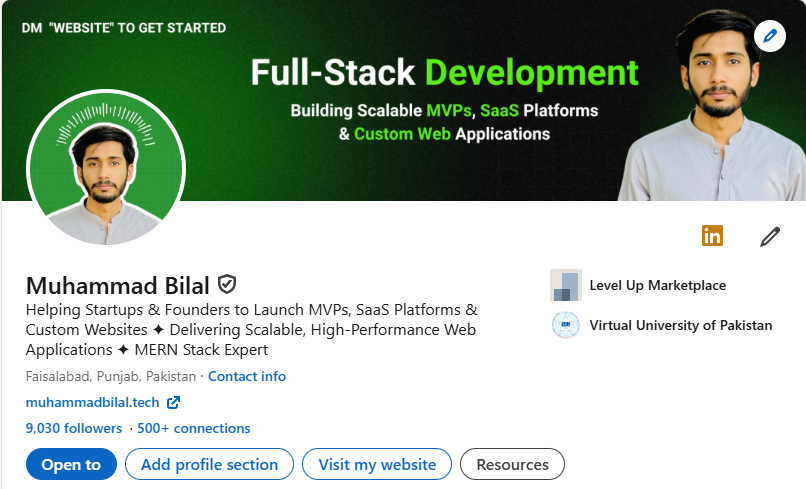
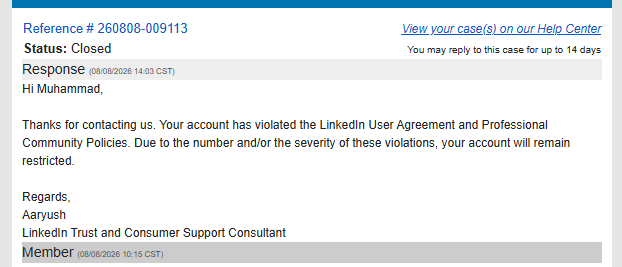
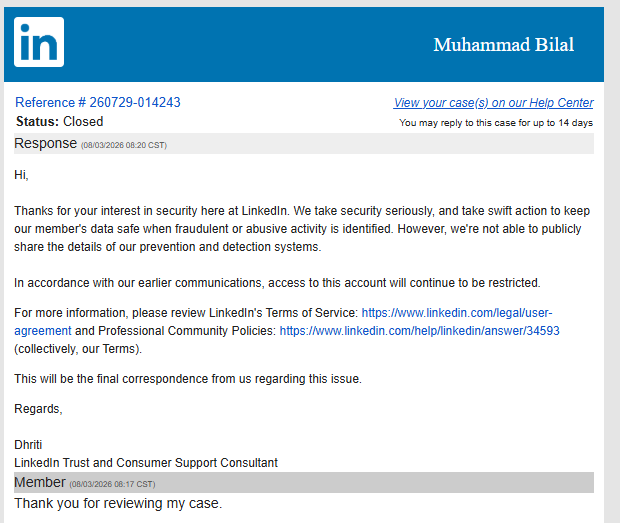
- Muhammad Bilal@Bilal_DeveloperI lost access to my LinkedIn account with 10K+ followers. First, LinkedIn told me the restriction was temporary. I contacted support and tried to resolve the issue properly. Later, I was told my account would remain restricted due to “repeated restrictions” and an alleged violation of the User Agreement. I asked for clarification and a chance to resolve the issue, but after that, my messages stopped getting responses. I’ve spent years building my network and sharing my work on LinkedIn. Losing access to an account with 10K+ followers is incredibly frustrating, especially when I’m not getting a clear path to appeal. @LinkedIn @LinkedInHelp I’m simply asking for a proper review of my account and a clear explanation of what caused the restriction. If anyone from LinkedIn can help escalate this, I’d really appreciate it.


 502210
 - Muhammad Bilal@Bilal_DeveloperI’m automating one of the most repetitive tasks for video editors with AI. This workflow can generate animated clips automatically turning a manual process into an automated one. This is what I love about AI + cloud automation: build it once, let the system handle the repetitive work. ⚡️ #AI #Automation #CloudAutomation #AITools #VideoEditing101148
- Muhammad Bilal@Bilal_DeveloperPosts @Bilal_DeveloperAll the clips are generated with just claude workflow and also with proper branding00019
- Muhammad Bilal@Bilal_DeveloperGetting restricted on LinkedIn, even with 10K+ followers, taught me an important lesson: **Never build your entire presence on one platform.** So I’m starting my journey on X. I want to connect with people who are serious about growth, have goals, and are building something meaningful with their life. Let’s grow together. If that sounds like you, say hi.
 00233
00233 - Muhammad Bilal@Bilal_DeveloperIt took me 3 years to get 10k followers on LinkedIn. Everything was going smoothly, and suddenly my account got restricted. I'll be honest this is the 3rd time I've been restricted. The last 2 times LinkedIn support really helped me, but this time I don't know what happened, because I didn't do anything. I was just using LinkedIn as usual, and then one day I opened it and I was logged out. I checked on my laptop logged out there too. I'm really confused. I've requested help from LinkedIn twice and they just keep saying "your account will remain restricted." I don't think a human is even reviewing my request. I verified my identity twice, and I've asked for the reason they won't give me one. If anyone has been through this before, please help me. I'm clueless. I made a lot of friends there and I've lost them too. @LinkedIn please help me out. Or if anyone knows a solution, please guide me. I'm confused.


 214150
 - Muhammad Bilal@Bilal_Developer99% of people don't know this simple ChatGPT image trick. If you're posting AI-generated images on LinkedIn, watch this first.10144
- Muhammad Bilal@Bilal_DeveloperI finally launched my first SaaS. 😩🥳 Funny thing… This isn’t the first SaaS I’ve built. It’s the first one I actually had the courage to ship201103
- Show more posts