Posts with #FigmaTips

#FigmaTips

Public posts on X that use #FigmaTips.

Related hashtags

  1. Ayomidotun ⚡️@the_stormx
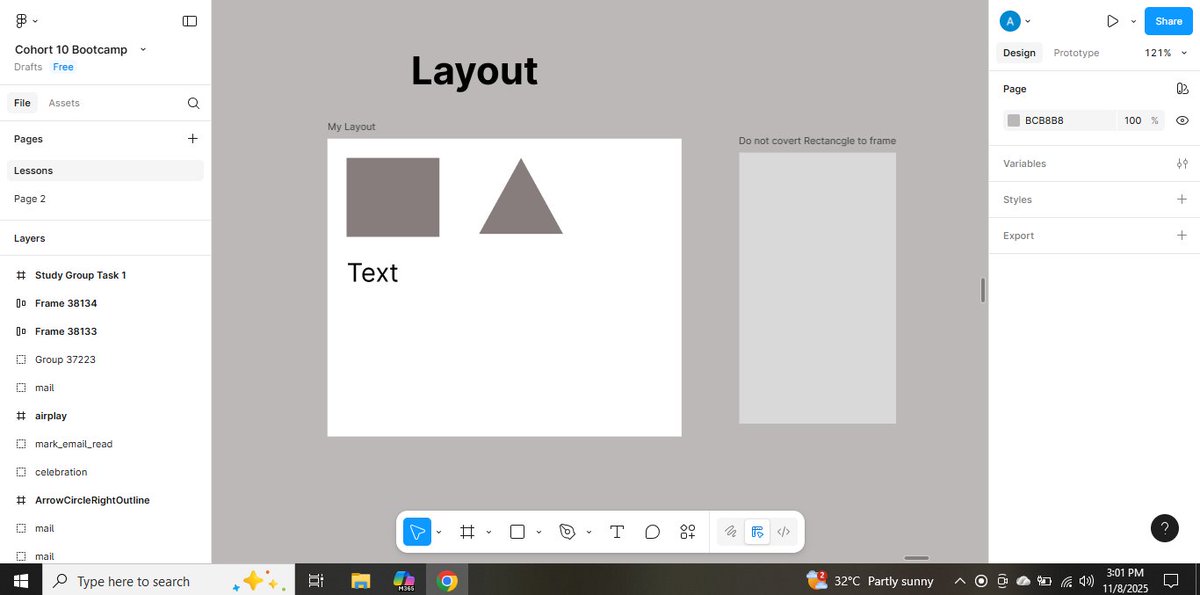
    🎯 My Exploration Post I explored simple ways to work smarter with shapes in Figma: aligning and editing them more cleanly and efficiently. It’s a small skill, but one that instantly improves how your designs look and feel. Here’s a quick snippet of what I learned. #FigmaTips
    Download
    139378
  2. ˗ˏˋ rogie ˎˊ˗✓@rogie
    One tiny thing I fell in love with in @figmadesign is that Boolean operations with shapes are non-destructive. You can still edit the shapes inside a union, intersect, etc without needing to flatten your vectors. #figmatips
    Download
    1480771
  3. tmskpf@tmskpf
    When designing tables,I prefer the column-based method since I find it more flexible. But it always had one major downside to me: it wasn't possible to show a hover state on the row. So I sat down and found a solution that Iam happy with. @figmadesign @FigmaHunt #figma #figmatips
    Download
    620212
  4. Figma✓@figma
    Working smarter, not harder also applies to prototyping. 😉 Here are six #FigmaTips from Designer Advocate @_AnaBoyer for prototyping in Figma. 1/ Draw prototyping links from navigational components to reduce the need for repeatedly drawing connections.
    Download
    362911.9K229K
  5. Figma Japan✓@FigmaJapan
    新しいプラグインZen Keysを使うと専用のショートカットが無い場合でも拡張してキーボード操作で利用することができます🚀 ファイル間でのバリアブルコレクションのコピー&ペーストもエイリアスやコレクションの依存関係を含めてできるようになっています⌨️👀 #FigmaTips
    Corey Lee @factorzero
    Today I'm launching Zen Keys⌨️, a Figma plugin that extends keyboard accessibility and adds some powerful features: - Create/resize/style shapes with the keyboard - Jump to objects in the file - Copy/paste variables between files (with dependencies) + more
    165220.2K
  6. Corey Lee@factorzero
    Today I'm launching Zen Keys⌨️, a Figma plugin that extends keyboard accessibility and adds some powerful features: - Create/resize/style shapes with the keyboard - Jump to objects in the file - Copy/paste variables between files (with dependencies) + more
    Download
    12311253.1K
  7. Figma Japan✓@FigmaJapan
    Figma みんなの使い方紹介編🤝 新機能のVariablesを使用するとFigmaの可能性が広がります!Variablesを活用した面白いデザインを紹介していきます🚀 こちらはゲームのキャラクターの動きを作っています🎮 #FigmaTips
    vijay verma @realvjy
    With new @figma variables. We can create any number of flow using conditions on a single frame. Testing a free flow character movement. Also tried to detect object and it worked. Small demo for something big we can create. Shared some logics below 🤩
    12313227.6K
  8. vijay verma✓@realvjy
    With new @figma variables. We can create any number of flow using conditions on a single frame. Testing a free flow character movement. Also tried to detect object and it worked. Small demo for something big we can create. Shared some logics below 🤩
    Download
    443302.3K381K
  9. もち | AI×デザイン✓@mochitaro_de
    え!これ知らんかった!Figmaでこんなことできたんだ #FigmaTips
    miggi from figgi @miggi
    If you want to change the rotation origin on an object in @Figma Design, select the object and press ⌥R (Alt R) to bring up the orientation point, and move it to a better spot for that perfect rotation point. #FigmaTip
    049011.9K
  10. miggi from figgi✓@miggi
    If you want to change the rotation origin on an object in @Figma Design, select the object and press ⌥R (Alt R) to bring up the orientation point, and move it to a better spot for that perfect rotation point. #FigmaTip
    Download
    19621.1K76.6K
  11. Figma Japan✓@FigmaJapan
    今週はデベロッパー向けの機能を紹介👩‍💻👨‍💻 Devモードでフレームを選択してCompare changesを開くと、変更箇所が一覧で確認できます👀 変更されたプロパティの項目をクリックすると自動でコピーされます! #FigmaTips #FigmaDeveloperTips
    Download
    056511.8K
  12. Figma Japan✓@FigmaJapan
    Figma デベロッパー向けTips👩‍💻👨‍💻 Devモードはデザインファイルのブラウザインスペクターのような機能を持っています🔍 オブジェクトをクリックするとサイズ、スペック、スタイルなどの詳細をデザインファイルに影響しない安全なスペースで確認することができます👏 #FigmaTips #FigmaDeveloperTips
    Download
    03459.8K
  13. Figma Japan✓@FigmaJapan
    FigmaのTipsを紹介します🎃 カラー選択の際にカラー名をテキストで直接入力しても反映されるようになっています🎨 #FigmaTips
    Download
    04366.2K
  14. Figma Japan✓@FigmaJapan
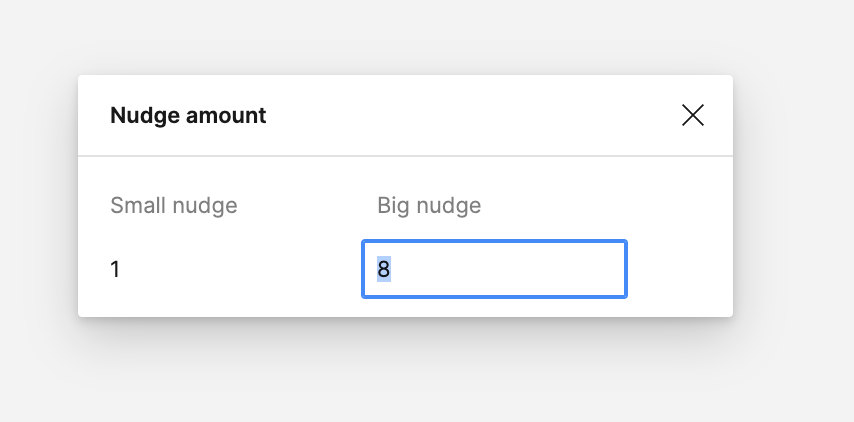
    Figma 便利な機能編📝🙂 オブジェクトを選択して矢印キーで操作すると1pxずつ移動します。 Shiftを押しながらの場合は基本的に10pxずつ移動しますが、Nudge amountでBig nudgeを設定すると任意のpxずつの移動に変更することができます🔆 #FigmaTips
    Download
    12366.2K
  15. Show more posts