Posts with #cssbasics

#cssbasics

Public posts on X that use #cssbasics.

Related hashtags

  1. Mr Dark9T👨‍💻@mr_dark9t
    @mr_dark9t
    Three Ways to Add CSS There are three ways to use CSS in your HTML file: -Inline CSS(inside an HTML tag) -Internal CSS(inside a <style> tag in the <head>) -External CSS(a separate CSS file linked to the HTML file) We’ll focus on external CSS, which keeps things neat and organized
    10211
  2. Mr Dark9T👨‍💻@mr_dark9t
    @mr_dark9t
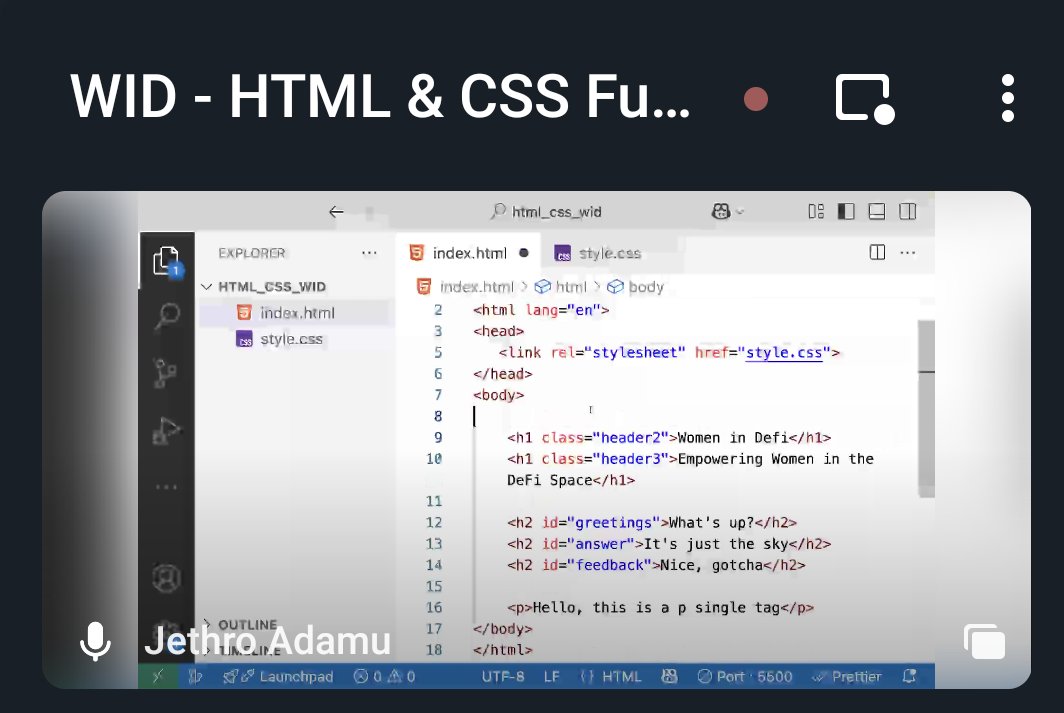
    📄 Linking an External CSS File To link a CSS file, use the <link> tag in the <head> section of your HTML file👇👇👇 Make sure you’ve created a separate styles.css file, where you’ll write all your CSS code! Ready to style your first webpage? #CSSBasics #WebDevelopment
    Download
    11338
  3. Jø Jø@anyanwu_di98552
    🌟 100 Days of Code – My Web Dev Journey 👨‍💻 I’m starting a focused path to becoming a full Frontend Developer with HTML, CSS & JavaScript. For the next 100 days, I’ll be learning, building & sharing my wins, mistakes & lessons. Wish me well—your support means everything .🙌
    112273
  4. Jø Jø@anyanwu_di98552
    @anyanwu_di98552
    Day 3/100 🚀 Explored semantic HTML and media elements today. Learned how to use header, footer, section, article, main, and nav to give webpages more meaning. Also practiced embedding media — images, audio, video, and iframes. These tools make sites more structured and cool.
    Download
    11240
  5. Jø Jø@anyanwu_di98552
    @anyanwu_di98552
    Day 4/100 🚀 Started learning CSS today. Practiced backgrounds, colors, fonts, lists, links, and buttons. My page finally has some style and no longer looks plain. Excited to keep building from here! 🎨✨ #100DaysOfCode #WebDevelopment #CSSBasics
    Download
    11440
  6. Nerdoo@shhh_nerd
    Day 𝟯/𝟯𝟬 of Frontend development: Hello Hello!! 👋 Are you in early stage of web development or aspiring to be a web developer? Let's dive into the interesting domain of CSS to learn its basics!
    10222
  7. Nerdoo@shhh_nerd
    @shhh_nerd
    3️⃣𝗦𝘁𝘆𝗹𝗶𝗻𝗴 𝗧𝗲𝗰𝗵𝗻𝗶𝗾𝘂𝗲𝘀:From basic color changes to creating responsive layouts, CSS offers a plenty of styling techniques. For detailed information for basics of CSS check the below mentioned link :
    10214
  8. Nerdoo@shhh_nerd
    @shhh_nerd
    𝗥𝗲𝗮𝗱𝘆 𝘁𝗼 𝗹𝗲𝘃𝗲𝗹 𝘂𝗽 𝘆𝗼𝘂𝗿 𝘄𝗲𝗯 𝗱𝗲𝘃𝗲𝗹𝗼𝗽𝗺𝗲𝗻𝘁 𝘀𝗸𝗶𝗹𝗹𝘀? 𝗙𝗲𝗲𝗹 𝗳𝗿𝗲𝗲 𝘁𝗼 𝗮𝘀𝗸 𝗾𝘂𝗲𝘀𝘁𝗶𝗼𝗻𝘀, 𝘀𝗵𝗮𝗿𝗲 𝘆𝗼𝘂𝗿 𝗶𝗻𝘀𝗶𝗴𝗵𝘁𝘀, 𝗮𝗻𝗱 𝗹𝗲𝘁'𝘀 𝗿𝗼𝗰𝗸 𝘁𝗵𝗲 𝗰𝗼𝗱𝗶𝗻𝗴 𝗷𝗼𝘂𝗿𝗻𝗲𝘆 𝘁𝗼𝗴𝗲𝘁𝗵𝗲𝗿!👩‍💻👨‍💻 P.C: @w3docs #CSSBasics
    Download
    00215
  9. PMG@pmgcodes
    #CSSbasics CSS Selectors: CSS Selector Selects HTML elements you want to style. CSS selectors divided into five categories: Simple selectors Combinator selectors Pseudo-class selectors Pseudo-elements selectors Attribute selectors Thread 🧵 #100DaysOfCode #CodeNewbie #CSS #HTML
    133
  10. Mr Dark9T👨‍💻@mr_dark9t
    🎉 Day 8 is here! You’ve built a solid HTML foundation! Today, we’re starting with CSS (Cascading Style Sheets) to make your webpages look beautiful and professional. 🎨 Let’s dive into styling! #CSS #WebDevelopment #LearnToCode
    11445
  11. Mr Dark9T👨‍💻@mr_dark9t
    @mr_dark9t
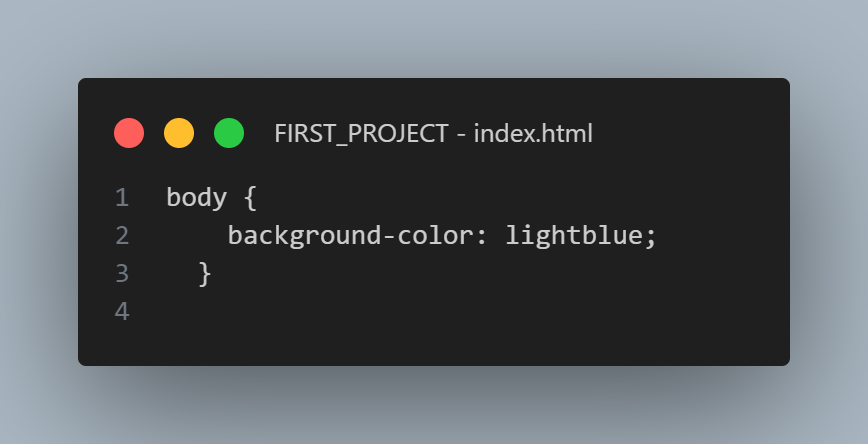
    🎯 Your Task for Today! Create a new file called styles.css in your project folder. In your HTML file, add the <link> tag inside the <head> to connect the CSS file. Add this CSS rule to change the background color of your page👇👇👇 💡 Share your progress or any questions below
    Download
    11447
  12. Mr Dark9T👨‍💻@mr_dark9t
    @mr_dark9t
    🔍 Preview: CSS Selectors Tomorrow, we’ll dive into CSS selectors, which are used to target specific HTML elements. You’ll learn how to style individual elements, groups of elements, and even classes and IDs. Stay tuned! #CSSSelectors #WebDevelopment #CSSBasics
    11446
  13. Sumudu Siriwardana✓@sumusiriwardana
    CSS gradients is one of the easiest way to add an overlay to a background image. You can add it on top of the background image by combining background url and linear-gradient. In this image I've set the gradient from red to blue. #100DaysOfCode #CodeNewbie #CSSBasics
    Download
    114
  14. John✨️@AdemoyeJohn
    Spend enough time with CSS before moving to JavaScript...
    341519614K
  15. Topibro Technologies@topibrotech
    @AdemoyeJohn
    @AdemoyeJohn Absolutely! It's important to spend adequate time practicing CSS before moving onto JavaScript. Doing so will help you build a strong foundation and give you the skills you need to become a successful coder. #CSSBasics #LearnJS
    003301
  16. Show more posts