Posts with #iosdevtips

#iosdevtips

Public posts on X that use #iosdevtips.

Related hashtags

  1. Lickability@lickability
    Every week, one of our iOS devs shares a special tip in the engineering meeting. Here’s this week’s tip from @mliberatore: Treat your Xcode search results as a to-do list and delete (⌫) results when you no longer need them. #iOSDevTips
    Download
    10131450
  2. Lickability@lickability
    @lickability
    🤩 Our tip this week is from @UIGodess! To sort all the files in an Xcode group by either name or by type, select the group and navigate to Edit → Sort → By Name or By Type. #iOSDevTips
    Download
    102
  3. Lickability@lickability
    @lickability
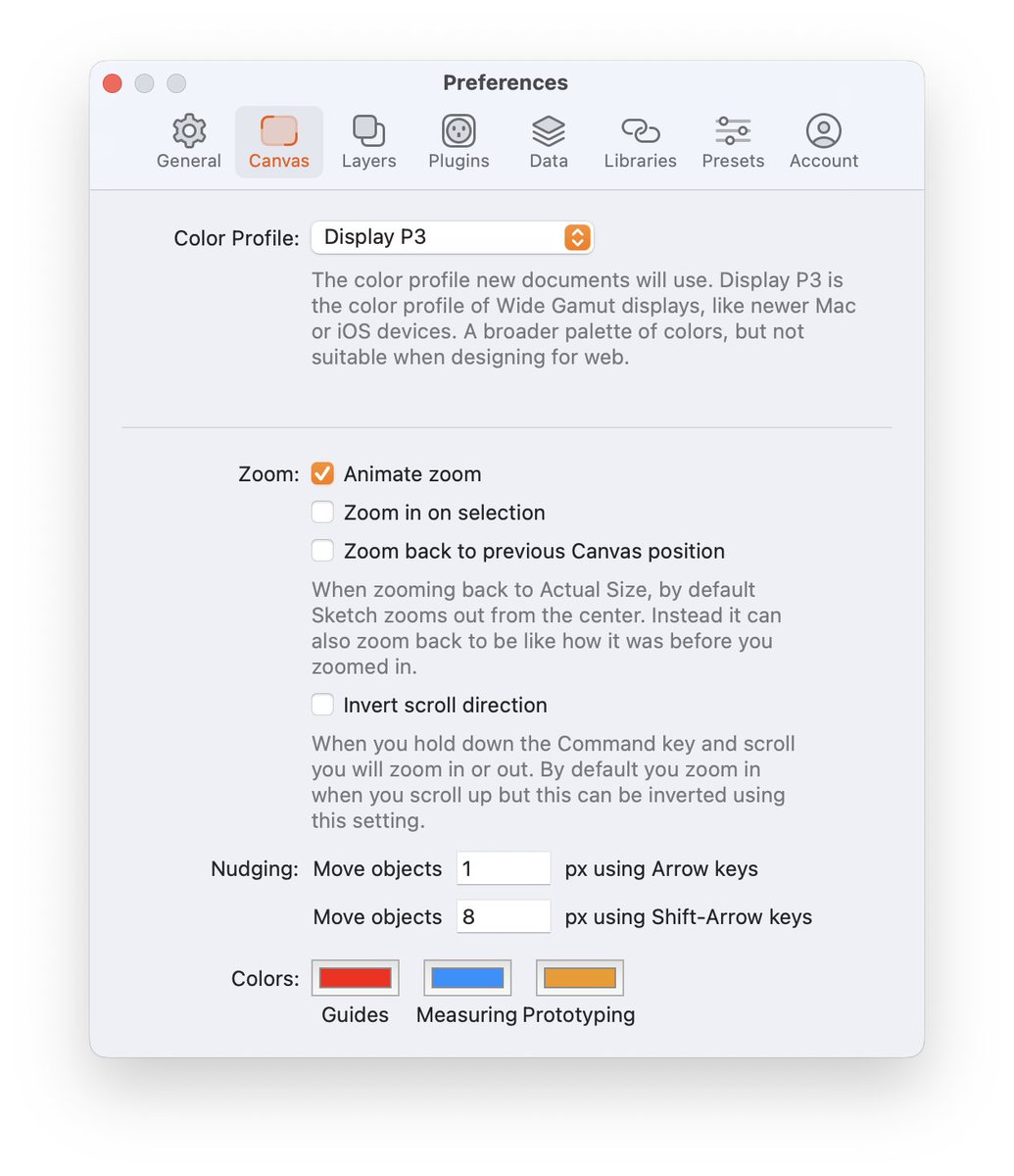
    If you’re not already using an 8pt grid in your designs, @sketch makes it super easy to get into the habit with a configurable nudge shortcut. Set it up in the Canvas Preferences, under “Nudging” 👇 #iOSDevTips
    Download
    315
  4. Lickability@lickability
    @lickability
    This week's tip is from @daisyr317! You can specify a hex value when defining colors in asset catalogs by selecting an individual color variant and using the Attributes Inspector. Comes in pretty handy if your design system uses hex values! 🎨 #iOSDevTips
    Download
    105
  5. Lickability@lickability
    @lickability
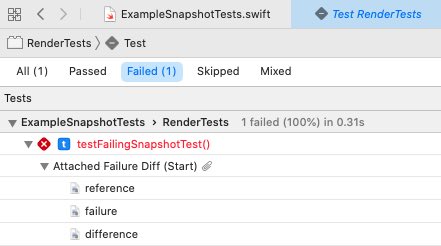
    A testing tip from @bcapps: If you use @pointfreeco’s SnapshotTesting library, you can see the images and diffs for failing tests right from within Xcode’s Log Navigator. They use a recent Xcode feature called Test Attachments, and it’s so handy. ✨
    Download
    1410
  6. Lickability@lickability
    @lickability
    Today’s tip is from @mb about localization: 🌍 Ever forget to localize a string? Use Xcode’s Refactor → Wrap in NSLocalized String command to make localizing your UI copy a snap. Right click on any string, run the command, add the comment, and you’re done. #iOSDevTips
    Download
    1215
  7. Lickability@lickability
    If you’re as excited as we are about animated SF Symbols, this tip from @BigMtnStudio on how to animate them within labels is sure to come in handy! 🪄 #iOSDevTips #WWDC23
    Mark Moeykens @BigMtnStudio
    ❓Can you animate an SF Symbol within a Label in #SwiftUI? 💡Yes! Just add the symbolEffect to the Label and the changing value that triggers the effect to see the animation. 👉 One day left on the #WWDC23 Sale:
    0041.2K
  8. Mark Moeykens✓@BigMtnStudio
    ❓Can you animate an SF Symbol within a Label in #SwiftUI? 💡Yes! Just add the symbolEffect to the Label and the changing value that triggers the effect to see the animation. 👉 One day left on the #WWDC23 Sale:
    Download
    11613123.9K
  9. Lickability@lickability
    @lickability
    Here's a tip from @bcapps 📣 Starting in Xcode 11, you can mark assets as “development assets,” and they won't be added to your shipping app—which is great for test data in SwiftUI previews! #iOSDevTips
    1326
  10. 13✓@ethanhuang13
    《13的iOS開發筆記》已全數公開。喜歡請留言,以後就會有更多 #iPlayground
    220136
  11. 13✓@ethanhuang13
    @ethanhuang13
    我在 #iPlayground 的講題「iOS 開發者13倍速技巧-談加速開發」已公開。謝謝大家來聽 #iOSDevTips #XcodeTips
    3933
  12. Lickability@lickability
    @lickability
    🪫 If the Xcode 14 beta is draining your laptop battery, our friend @chrisvasselli put together a blog post with a workaround! It's been a lifesaver. #iOSDevTips
    123
  13. Lickability@lickability
    @lickability
    🔎 Have you ever needed to check if one Swift string contains another regardless of case? Use the options parameter on the .range() method & specify .caseInsensitive — thanks to our friend @twostraws for the tip! #iOSDevTips
    102
  14. Lickability@lickability
    🤔 Ever wonder how to create a variable blur effect without dipping into undocumented APIs? So have we! Anyway. Hope you’re having a nice week so far. #iOSDevTips
    1151.4K
  15. Lickability@lickability
    @lickability
    ✨ A tip from @mliberatore: I don’t know who needs to hear this, but if you’re using an M1 Mac and your dependencies don’t support multiple simulator architectures, check “Open using Rosetta” in the Info Panel on Xcode and Simulator, and relaunch! #iOSDevTips
    Download
    115
  16. Lickability@lickability
    @lickability
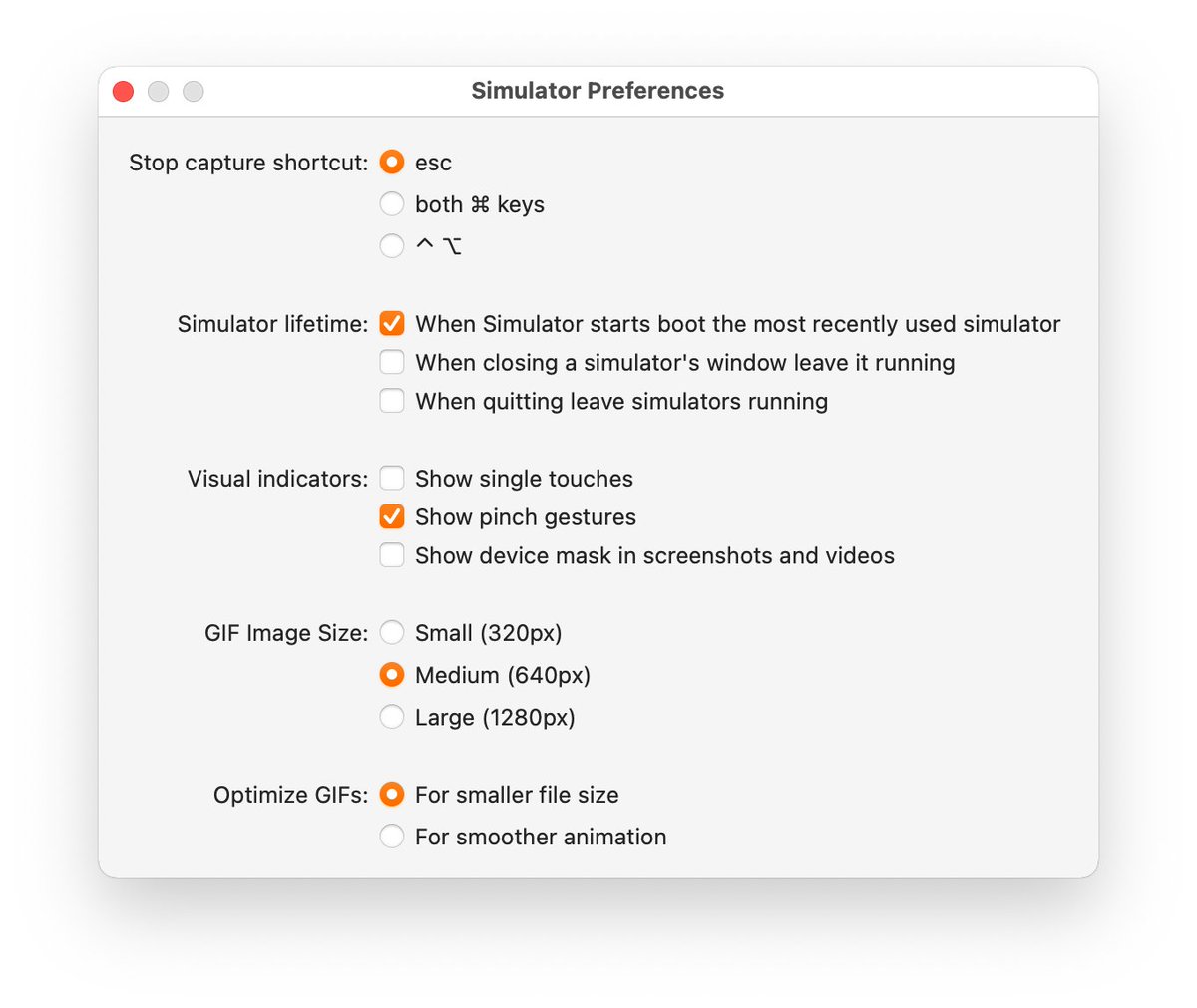
    💡 This week's tip comes from @mliberatore: If you're unsatisfied with Xcode Simulator gifs, you can adjust the quality and animation smoothness in the Simulator Preferences menu below—no more choppy gifs! #iOSDevTips
    Download
    1310
  17. Lickability@lickability
    @lickability
    🚂 Our engineers on larger projects have been waiting for this @github feature for a long time. Can't wait to queue up some PRs! #iOSDevTips
    113734
  18. Lickability@lickability
    Xcode 15 has gotten so good! This is so much better than scrolling through a tiny list of parameter permutations. ➡️➡️➡️ #iOSDevTips
    Natalia Panferova @natpanferova
    One of my favorite improvements in Xcode 15 code completion is the ability to see all the possible parameter permutations for functions by pressing the right arrow key #WWDC23
    003683
  19. Natalia Panferova✓@natpanferova
    One of my favorite improvements in Xcode 15 code completion is the ability to see all the possible parameter permutations for functions by pressing the right arrow key #WWDC23
    2813422.4K
  20. Lickability@lickability
    @lickability
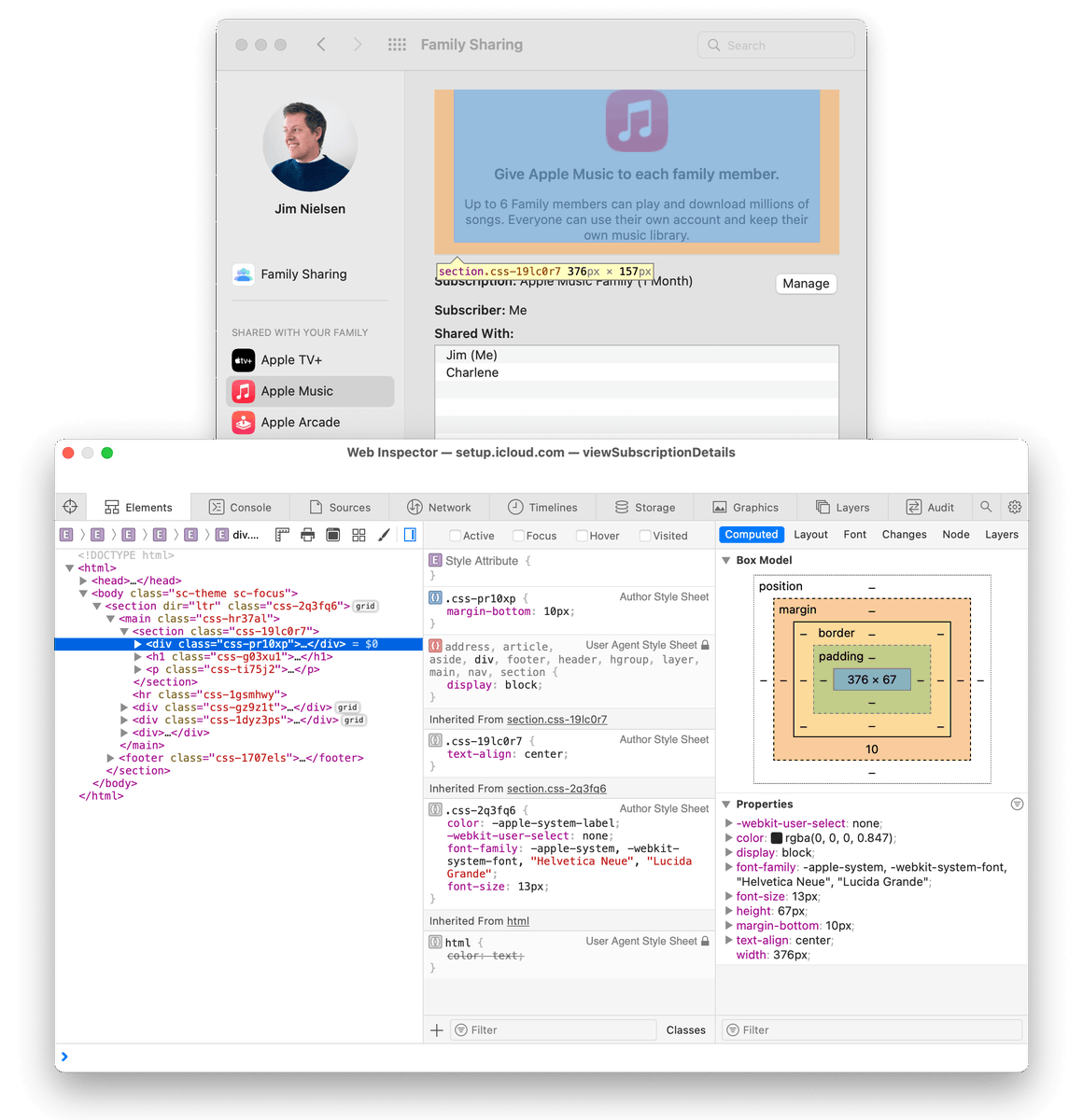
    👀 Ever wanted to know where and how Apple uses web views in their Mac apps? Use the Web Inspector from Safari → Develop → App Name. #iOSDevTips
    Jim Nielsen @jimniels
    📝 Blogged some about how you can use Safari’s Web Inspector to look under the hood of certain views in macOS. No real utility here—just fun. Thx to @samhenrigold for the tip.
    115
  21. Jim Nielsen@jimniels
    📝 Blogged some about how you can use Safari’s Web Inspector to look under the hood of certain views in macOS. No real utility here—just fun. Thx to @samhenrigold for the tip.
    Download
    628201
  22. Lickability@lickability
    @lickability
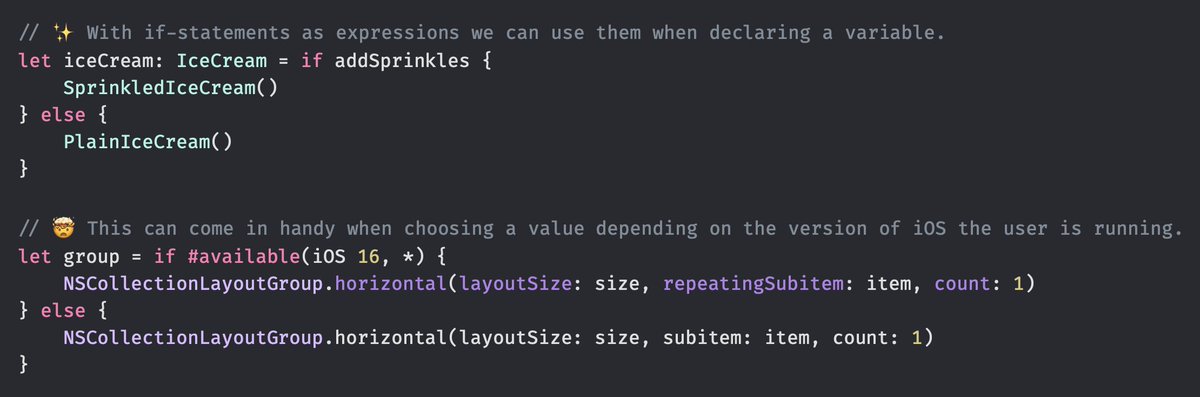
    In Swift 5.9, if statements are now expressions —  which means you can write them inline when declaring constants or variables! 🙌 😇 We’ll use this all the time for targeting features of new versions of iOS. #iOSDevTips
    Simon B. Støvring @simonbs
    if-statements got new super powers in Swift 5.9 and it's 🔥!
    103706
  23. Lickability@lickability
    @lickability
    👀 For those times you don’t want to be distracted by Twitter, did you know that you can fullscreen Xcode and the Simulator side-by-side with split screen? #iOSDevTips via @mb
    Download
    315
  24. Show more posts