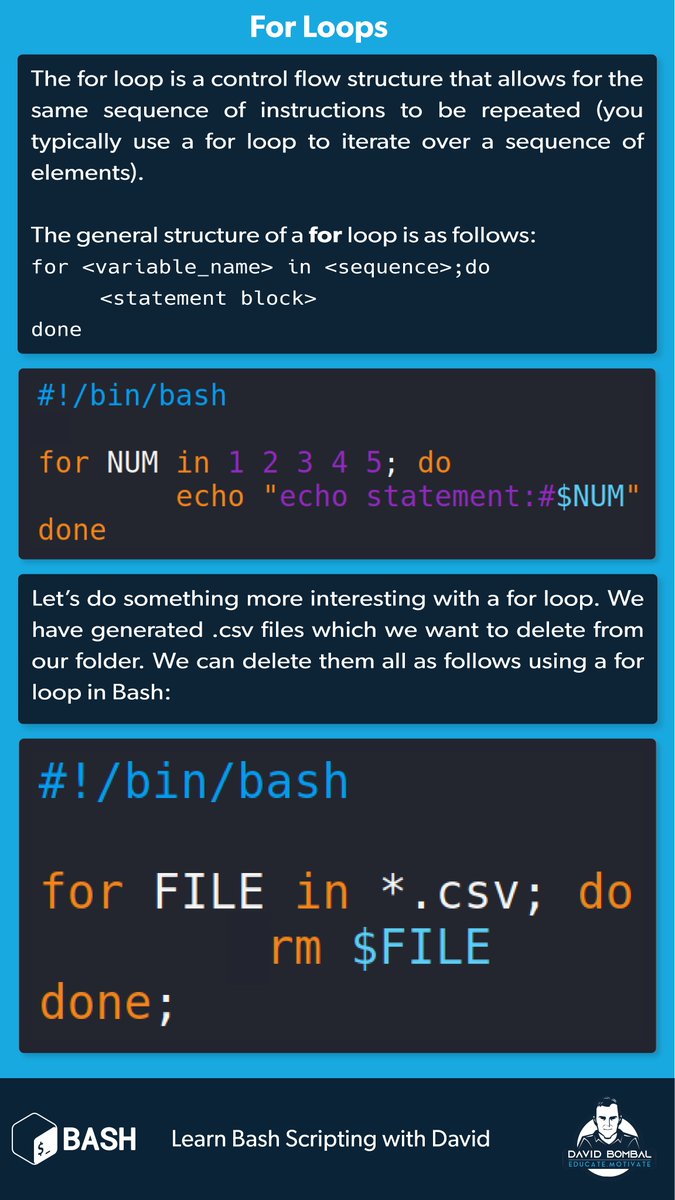
Day 4/100
Spent more time practicing Bash scripting to strengthen my understanding of it. I'm gradually getting more comfortable with it, even though I still have a long way to go before reaching mastery. One step at a time💃.
#100DaysOfCyberSecurity#BashScripting
The entire #BashScripting course on #LearnLinuxTV launched today. Every single lesson is now available! So why not #LearnLinux by writing scripts in bash? Check out this playlist. Also, please share the heck out of this! #Linux#DevOps
Day 18 of learning DevOps in public.
Today I did some digging on Bash scripting and learnt it’s not just about writing “scripts” for the sake of it, it’s about taking what you do manually on Linux and turning it into something the system can repeat without touching it again.
Every script begins with #!/bin/bash. Linux’s way of knowing to run it with Bash. From there, write your commands in a file, make it executable and run it like a program.
Variables were interesting. Bash doesn’t care about types. You just assign name=“Tobi” and reuse with $name.
I learnt about Arrays which handle multiple values under one variable, useful for lists of files or repeated data.
My biggest takeaway: Bash is about removing repetition. The more you write, the more you think, “I shouldn’t be doing this manually again.”
#BashScripting#18of30
#bash#bashscripting#scripting
Learning about Case statement today.
This is one of the stuff I did today.
The first two page is based on case statement while the last on I tried run an installation package on my kali and I redirect it into a files.
Let's get it!
5/8 📖 Study the Linux file system hierarchy. Understand the purpose of directories like /etc, /bin, /usr, and /var. Learn about configuration files and system processes. #Filesystem#Directories
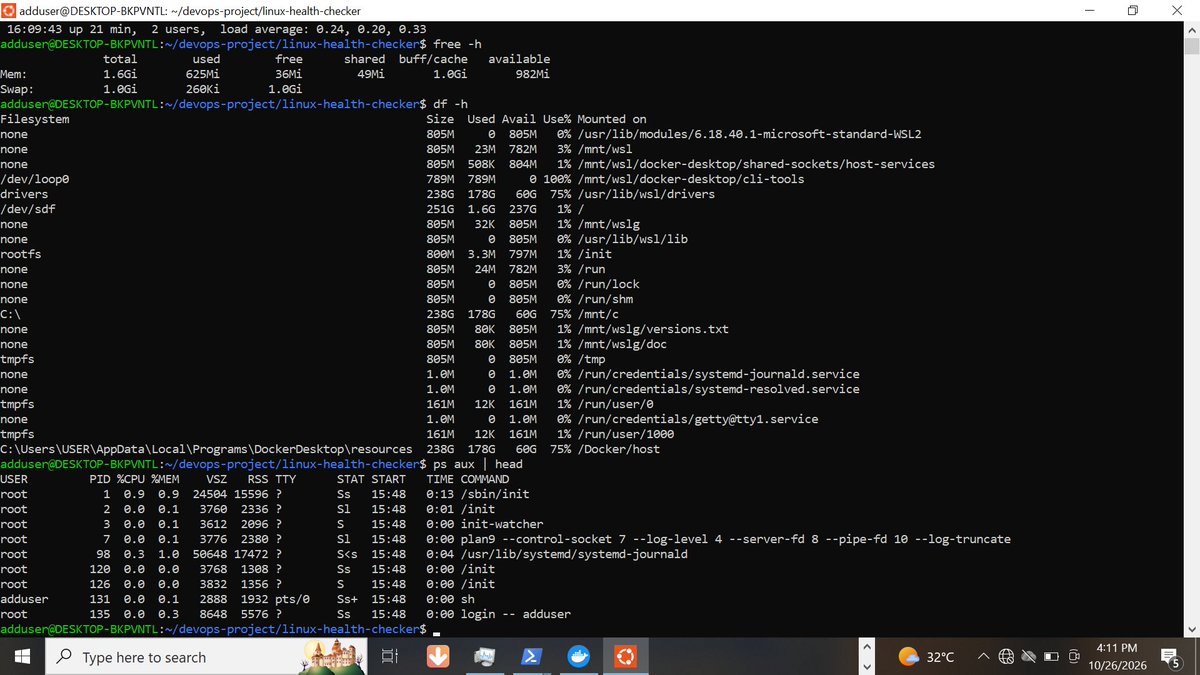
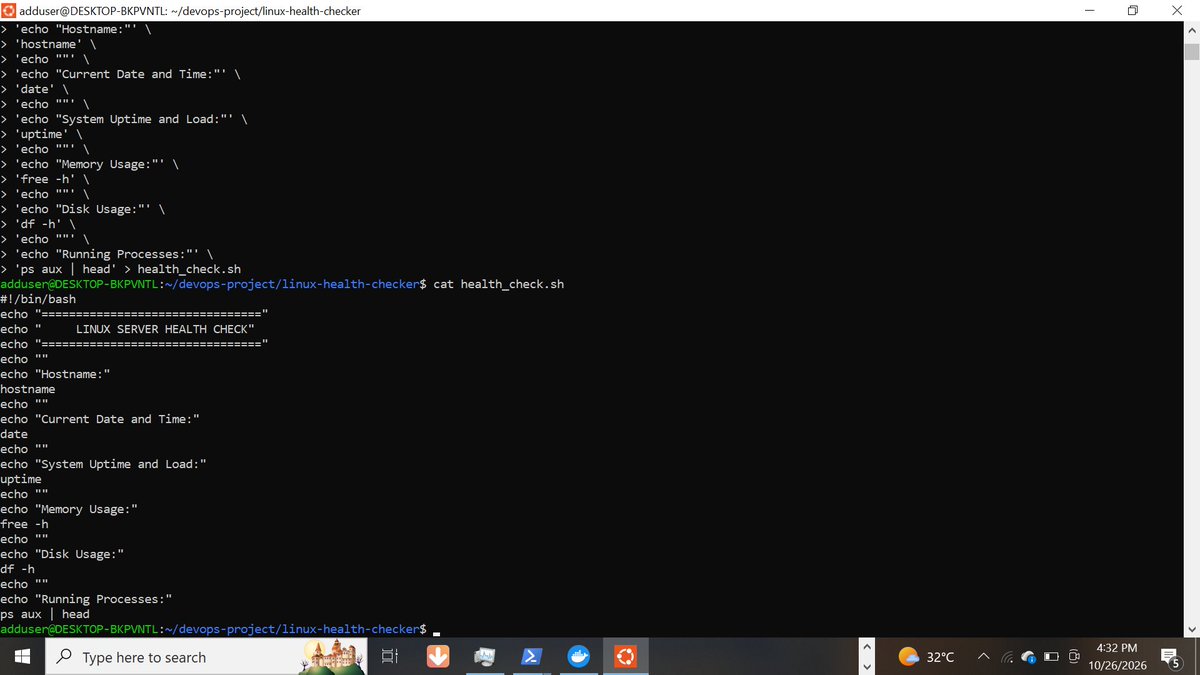
Here is what I learned:
Uptime: checks how long the system has been running and its load.
free-h: displays memory usage in a readable format.
df -h: checks disk space usage.
ps aux: lists running processes.
I also added alerts to flag high disk and memory usage.
Why does this matter
DevOps engineers monitor system resources to identify potential problems before they affect applications.
I am learning by building practical projects and understanding the commands behind them.
#DevOps#Linux#BashScripting