Posts with #LinuxTips

#LinuxTips

Public posts on X that use #LinuxTips.

Related hashtags

  1. Dyogo Codes@DyogoCodes
    24 Linux tricks you’ll wish you knew sooner 🐧 ⚡ Terminal shortcuts 🔍 Debugging & monitoring 🚀 Productivity hacks 3 slides. 24 commands. One cheat sheet. Bookmark this for your next terminal session! 💻 #Linux #LinuxTips #DevOps
    Download
    000
  2. Linux Handbook✓@LinuxHandbook
    Got too many remote #Linux servers to connect to via SSH? Having a hard time remembering all the IP addresses? Use SSH config file and save your precious time. #LinuxTips #Sysadmin
    21838
  3. LinuxTeck | Linux & DevOps Tips@linuxteck
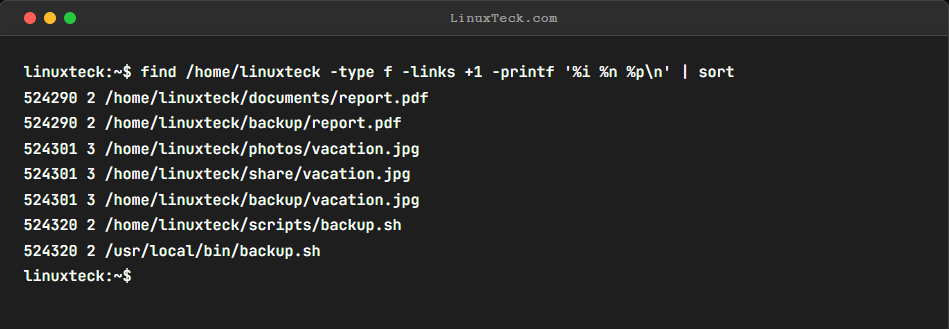
    Quick Linux Tip #111 Q: I have duplicate-looking files. Are they hardlinks or real copies? Try:`find /home/linuxteck -type f -links +1 -printf '%i %n %p\n' | sort` Info: Finds files sharing inodes and link counts to identify hardlinks. oundaries. Follow @linuxteck #LinuxTips
    Download
    10132
  4. LinuxTeck | Linux & DevOps Tips@linuxteck
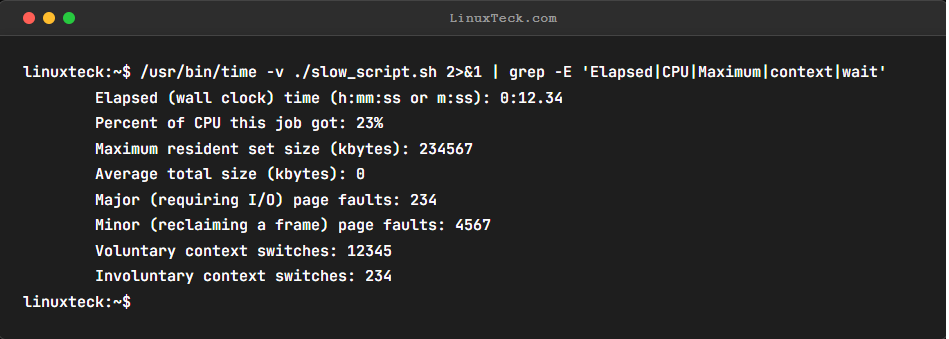
    Quick Linux Tip #113 Q: My script is slow but I don't know if it's CPU, I/O, or waiting. How do I find out? Try:`/usr/bin/time -v ./slow_script.sh 2>&1 | grep -E 'Elapsed|CPU|Maximum|context|wait'` Info: Profiles resource bottlenecks, CPU, and timing. Follow @linuxteck
    Download
    1006
  5. Linux Handbook✓@LinuxHandbook
    As a Linux sysadmin 🐧, you can restrict the access for a user by locking the account with passwd command: $ passwd -l user_name The lock can be removed with: $ passwd -u user_name 👉 Keep following us @linuxhandbook for more Linux tips 😎 #TerminalTuesday #LinuxTips
    724157
  6. LinuxTeck | Linux & DevOps Tips@linuxteck
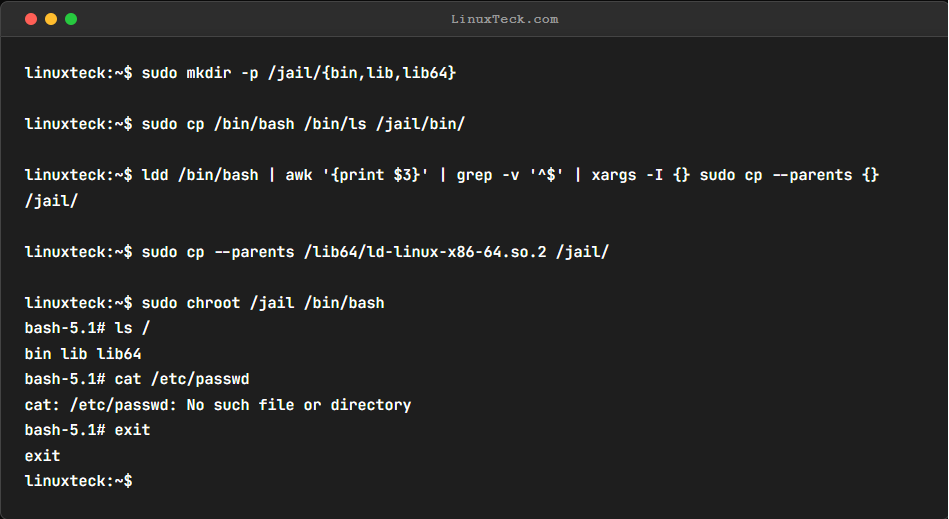
    Quick Linux Tip #112 Question: I need to run an untrusted binary without exposing my whole system. How? Try:`sudo mkdir -p /jail/{bin,lib,lib64}` Info: Restricts a process to a custom root directory. Want to master Linux one command at a time? Follow @linuxteck
    Download
    10012
  7. nixCraft 🐧@nixcraft
    🚀 Don't want to crack open your Linux machine? Find your RAM speed & type (DDR3, DDR4, etc.) with a few simple commands or GUI tools! 💻 Check out this guide to level up your Linux knowledge: #LinuxTips #RAMUpgrade #TechHacks 👇
    113768.2K
  8. openSUSE Linux@openSUSE
    Share your best tip or trick for new users joining our community. #LinuxTips
    39333.1K
  9. LinuxTeck | Linux & DevOps Tips@linuxteck
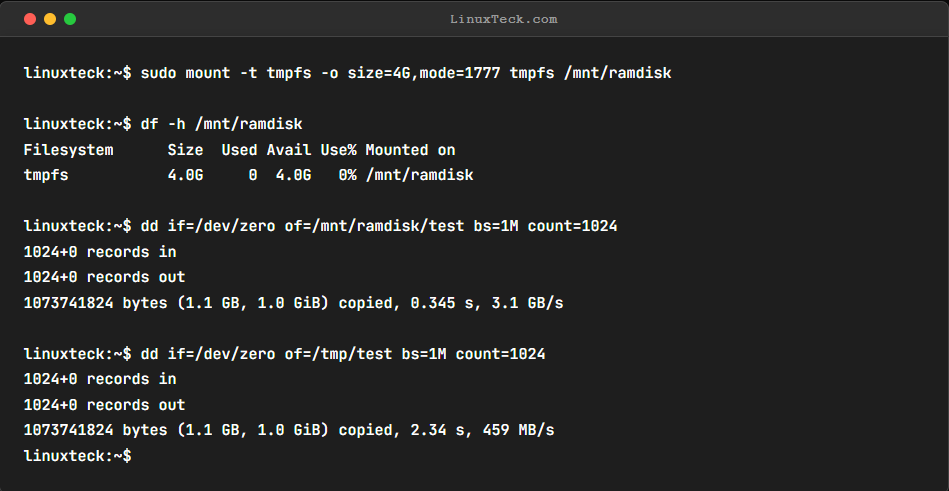
    Quick Linux Tip #106 Q: My build is slow because of disk I/O. How do I use RAM as a filesystem? Try:`sudo mount -t tmpfs -o size=4G,mode=1777 tmpfs /mnt/ramdisk` Info: Ultra-fast RAM disk for temp file caches. Want to master Linux one command at a time? Follow @linuxteck
    Download
    20047
  10. Linux Journal@linuxjournal
    Downloading an Entire Website with wget. If you ever need to download an entire Web site, perhaps for off-line viewing, wget can do the job. #linuxtips #Linux
    Download
    436127
  11. Show more posts