Posts with #SystemDesign

#SystemDesign

Public posts on X that use #SystemDesign.

Related hashtags

  1. Nitin.nn✓@NitinthisSide_
    🧵 Day 22/30 — #SystemDesign Database Indexing: Why some queries take milliseconds… and others take forever Your database works fine with 1K users. At 1M users, the same query suddenly becomes slow. Nothing changed in code. The problem is how data is searched. That’s where Indexing comes in. An index is like a shortcut that helps the database find data quickly without scanning every row. ⸻ Without index: → DB scans entire table (Full Table Scan) → Time complexity grows with data → Slow queries at scale With index: → DB jumps directly to required data → Faster reads → Efficient lookups ⸻ Simple Example User table with 10M rows. Query: SELECT * FROM users WHERE email = ‘abc@gmail.com’ Without index: → Check all 10M rows With index on email: → Direct lookup in milliseconds ⸻ Why It Matters → Faster search queries → Better performance at scale → Reduced database load → Improved user experience ⸻ Tradeoff Indexes are not free: → Extra storage → Slower writes (index update needed) → Too many indexes hurt performance ⸻ Golden Rule Index what you query often. Not everything. #30DaysOfSystemDesign #DatabaseIndexing #BackendEngineering
    Download
    Nitin.nn @NitinthisSide_
    🧵 Day 21/30 — #SystemDesign Load Balancer: The silent system that keeps everything fast & alive One server handling all traffic? Works… until it doesn’t. Traffic spikes → server overload → downtime. That’s why systems use a Load Balancer. A load balancer sits between users and servers and distributes incoming requests across multiple instances. Flow: User → Load Balancer → Multiple Servers Goal: → No single server overloaded → Better performance → High availability Types (keep it simple) Layer 4 (Transport) → Works on IP + Port → Fast, less intelligent Layer 7 (Application) → Works on HTTP/HTTPS → Smart routing (headers, paths) Common Algorithms → Round Robin (equal distribution) → Least Connections (send to least busy) → IP Hash (same user → same server) → Weighted (based on server capacity) Why It Matters → Handles traffic spikes → Improves uptime → Enables horizontal scaling → Supports failover → Better latency Real Usage → AWS ELB / ALB → NGINX → HAProxy → Cloudflare Every scalable system uses one. Golden Rule Scaling = adding more servers. Load balancer = using them efficiently. #30DaysOfSystemDesign #LoadBalancing #BackendEngineering
    1713174659K
  2. Nitin.nn✓@NitinthisSide_
    🧵 Day 21/30 — #SystemDesign Load Balancer: The silent system that keeps everything fast & alive One server handling all traffic? Works… until it doesn’t. Traffic spikes → server overload → downtime. That’s why systems use a Load Balancer. A load balancer sits between users and servers and distributes incoming requests across multiple instances. Flow: User → Load Balancer → Multiple Servers Goal: → No single server overloaded → Better performance → High availability Types (keep it simple) Layer 4 (Transport) → Works on IP + Port → Fast, less intelligent Layer 7 (Application) → Works on HTTP/HTTPS → Smart routing (headers, paths) Common Algorithms → Round Robin (equal distribution) → Least Connections (send to least busy) → IP Hash (same user → same server) → Weighted (based on server capacity) Why It Matters → Handles traffic spikes → Improves uptime → Enables horizontal scaling → Supports failover → Better latency Real Usage → AWS ELB / ALB → NGINX → HAProxy → Cloudflare Every scalable system uses one. Golden Rule Scaling = adding more servers. Load balancer = using them efficiently. #30DaysOfSystemDesign #LoadBalancing #BackendEngineering
    Download
    173321752K
  3. Alex Xu✓@alexxubyte
    Here is a simplified design diagram that explains how a stock exchange such as Nasdaq or Newyork exchange works under the hood: #developers #systemdesign Step 1: A client places an order via the broker’s web or mobile app. Step 2: The broker sends the order to the exchange.1/6
    Download
    4960
  4. GameDevTina⚡@GameDevTina
    Hi! I am a Senior Systems Designer and wearer of many hats looking for opportunities! I have worked in the gaming industry for 12 years and focus on investment/ progression systems and narrative/quest design. I also LOVE community engagement! #opentowork #systemdesign #gamedesign
    Download
    1610781232.5K
  5. Nitin.nn✓@NitinthisSide_
    🧵 Day 23/30 — #SystemDesign Pagination vs Infinite Scroll: Why loading everything breaks systems Fetching all data at once feels simple… until your API slows down, responses grow huge, and UX suffers. Smart systems load data in chunks. ⸻ Pagination = page-based loading Infinite Scroll = continuous loading Both solve scale. But serve different use cases. ⸻ When to use Pagination → Admin dashboards → Search results → Reports / tables Users want control, navigation, and exact positions. ⸻ When to use Infinite Scroll → Social feeds → Content apps → E-commerce browsing Users want seamless experience. ⸻ Key Backend Insight Offset-based pagination: → Easy → Slower at large scale Cursor-based pagination: → Faster → More scalable → Preferred in production ⸻ Tradeoff Pagination: → Better control → SEO friendly Infinite Scroll: → Better engagement → Harder state management ⸻ Golden Rule Load less. Load fast. #30DaysOfSystemDesign #Pagination #BackendEngineering
    Download
    Nitin.nn @NitinthisSide_
    🧵 Day 22/30 — #SystemDesign Database Indexing: Why some queries take milliseconds… and others take forever Your database works fine with 1K users. At 1M users, the same query suddenly becomes slow. Nothing changed in code. The problem is how data is searched. That’s where Indexing comes in. An index is like a shortcut that helps the database find data quickly without scanning every row. ⸻ Without index: → DB scans entire table (Full Table Scan) → Time complexity grows with data → Slow queries at scale With index: → DB jumps directly to required data → Faster reads → Efficient lookups ⸻ Simple Example User table with 10M rows. Query: SELECT * FROM users WHERE email = ‘abc@gmail.com’ Without index: → Check all 10M rows With index on email: → Direct lookup in milliseconds ⸻ Why It Matters → Faster search queries → Better performance at scale → Reduced database load → Improved user experience ⸻ Tradeoff Indexes are not free: → Extra storage → Slower writes (index update needed) → Too many indexes hurt performance ⸻ Golden Rule Index what you query often. Not everything. #30DaysOfSystemDesign #DatabaseIndexing #BackendEngineering
    104129524.3K
  6. Nitin.nn✓@NitinthisSide_
    🧵 Day 11/30 — #SystemDesign Event-Driven Architecture: How modern systems react in real time Many systems fail when one service depends directly on another. If Payment Service is down, Order Service breaks. If Notification Service slows, user actions feel delayed. Tight coupling creates fragile systems. That’s why large-scale systems use Event-Driven Architecture (EDA). Instead of services calling each other directly every time, services publish events when something happens. Other services subscribe and react independently. Example: User places order → OrderCreated event published. Then different services can react: → Payment Service charges user
→ Inventory reserves stock
→ Email Service sends confirmation
→ Analytics logs purchase
→ Recommendation engine updates behavior One action triggers many workflows asynchronously. 
 ⸻ 
 Core Idea Producer emits event.
Consumers listen and process. Flow: Service A → Event Bus / Queue → Multiple Consumers The producer doesn’t need to know who is listening. This creates loose coupling and better scalability. 
 ⸻ 
 Why Companies Love It Benefits: → Independent services
→ Easier scaling
→ Faster feature additions
→ Better fault isolation
→ Async processing
→ Cleaner microservices communication
→ Real-time workflows Instead of changing one giant system, teams add new consumers. 
 ⸻ 
 Real-World Examples → Uber: Trip booked triggers pricing, driver matching, notifications
→ Amazon: Order placed triggers payment, shipment, invoice, emails
→ Netflix: User watches content triggers analytics + recommendations
→ Stripe: Payment events power webhooks and integrations Modern products run on events everywhere. 
 ⸻ 
 Common Event Types → UserSignedUp
→ OrderCreated
→ PaymentSucceeded
→ MessageSent
→ RideStarted
→ InventoryLow
→ SubscriptionExpired Good event names describe something that already happened. 
 ⸻ 
 Popular Tools → Kafka
→ RabbitMQ
→ AWS SNS + SQS
→ Google Pub/Sub
→ NATS
→ Redis Streams Tool choice depends on throughput, durability, ordering, and complexity needs. 
 ⸻ 
 Challenges Most Ignore EDA sounds elegant, but introduces real complexity: → Duplicate events
→ Event ordering issues
→ Debugging across many services
→ Eventual consistency
→ Retry storms
→ Schema evolution problems Distributed systems always charge rent. 
 ⸻ 
 Golden Rule Use events when many services must react independently. Don’t use events just because it sounds advanced. For a small CRUD app, direct calls may be simpler. 
 ⸻ 
 Key Insight Monoliths share functions.
Service architectures share events. That shift changes how systems scales. #30DaysOfSystemDesign #EventDrivenArchitecture #BackendEngineering
    Download
    Nitin.nn @NitinthisSide_
    🧵 Day 10/30 — #SystemDesign Microservices vs Monolith: How should you structure your backend? Many projects start with one codebase, one database, and one deployment. It feels simple, fast, and productive. But as products grow, teams expand, traffic increases, and features multiply, architecture decisions begin to matter. That’s where the debate starts: Monolith or Microservices? A Monolith means your application is built as one unified system. User auth, payments, notifications, admin panel, APIs — all live inside one codebase and are deployed together. This works extremely well for many startups because it keeps development simple. Benefits of Monolith: → Faster to build initially → Easier local development → Simpler deployment pipeline → Easier debugging in one place → Lower operational overhead → Great for small teams That’s why many successful companies started as monoliths.
    173632029.1K
  7. Nitin.nn✓@NitinthisSide_
    🧵 Day 10/30 — #SystemDesign Microservices vs Monolith: How should you structure your backend? Many projects start with one codebase, one database, and one deployment. It feels simple, fast, and productive. But as products grow, teams expand, traffic increases, and features multiply, architecture decisions begin to matter. That’s where the debate starts: Monolith or Microservices? A Monolith means your application is built as one unified system. User auth, payments, notifications, admin panel, APIs — all live inside one codebase and are deployed together. This works extremely well for many startups because it keeps development simple. Benefits of Monolith: → Faster to build initially → Easier local development → Simpler deployment pipeline → Easier debugging in one place → Lower operational overhead → Great for small teams That’s why many successful companies started as monoliths.
    Download
    113022734K
  8. Medhat Dawoud✓@Med7atDawoud
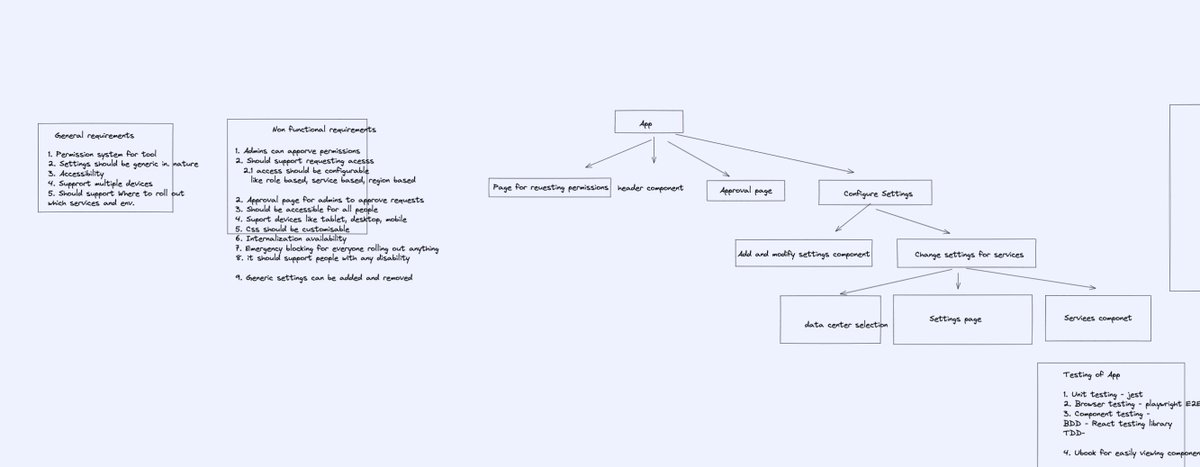
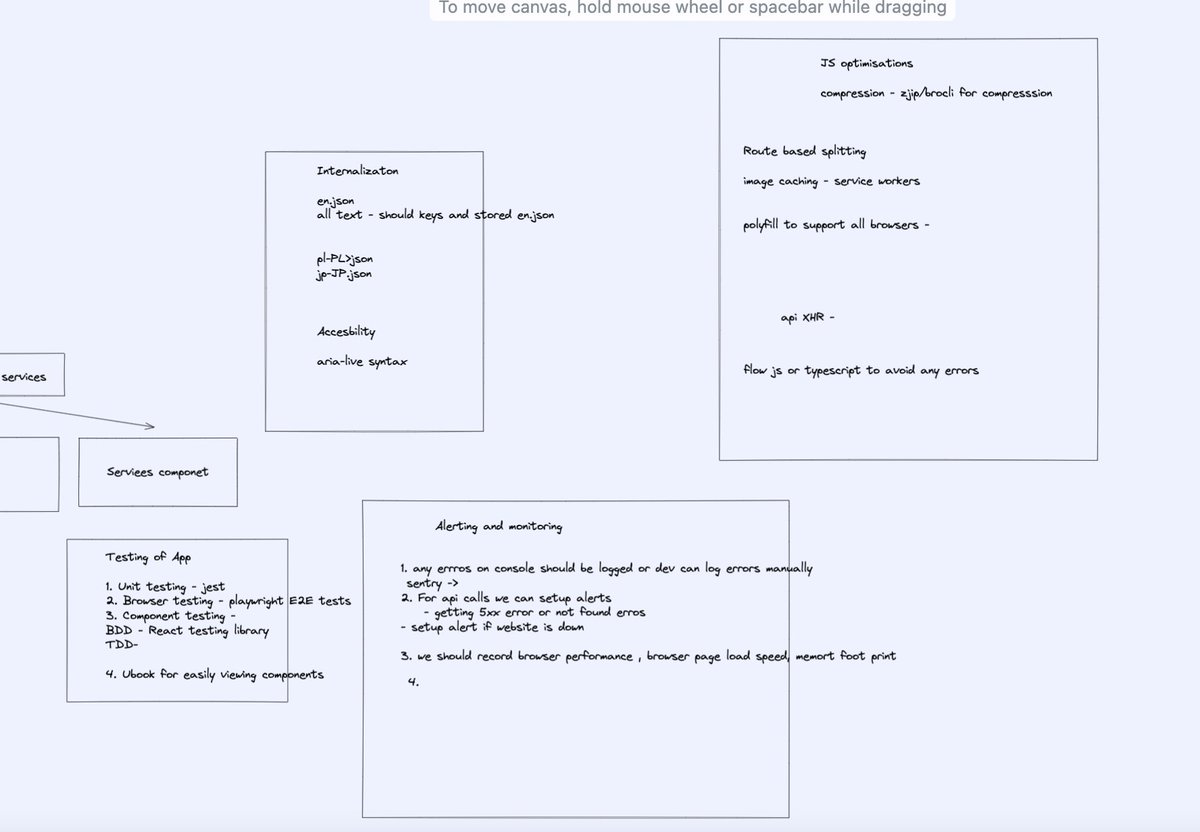
    I wrote a new article ✍️ "Cracking the Frontend System Design Interview" This is a comprehensive guide for frontend system design interviews based on experience #interviews #frontend #systemdesign
    21660
  9. Nitin.nn✓@NitinthisSide_
    🧵 Day 14/30 — #SystemDesign CAP Theorem: Why distributed systems force hard choices Many engineers want all three: → Perfect consistency → Zero downtime → Network fault tolerance In distributed systems, you usually can’t guarantee all of them at the same time. That idea is captured by CAP Theorem. When a network partition happens (servers can’t communicate properly), a distributed system must choose between: Consistency (C) Every user sees the latest same data. Availability (A) Every request gets a response, even if some data may be stale. Partition Tolerance (P) System continues working despite network failures between nodes. During partitions, you can strongly guarantee only CP or AP behavior. ⸻ Why This Matters Imagine two database nodes in different regions. Suddenly network link breaks. Now what should system do? Option 1: Stop some requests until nodes sync again. You preserve consistency. Option 2: Keep serving requests independently. You preserve availability. That tradeoff is real production engineering. ⸻ Simple Example Bank balance system: If Node A says ₹5000 Node B says ₹3000 Would you rather: → Block transactions until correct value known (CP) or → Allow responses with possible mismatch (AP) For banking, consistency matters more. ⸻ CP Systems Prefer Correctness Choose Consistency + Partition Tolerance. Behavior: → May reject / delay requests during partition → Stronger correctness guarantees → Better for critical transactions Examples: → HBase → MongoDB (certain configs) → Zookeeper / etcd style systems Used where wrong data is dangerous. ⸻ AP Systems Prefer Uptime Choose Availability + Partition Tolerance. Behavior: → Always responds if possible → Nodes may temporarily disagree → Later data sync happens Examples: → Cassandra → Dynamo-style systems → DNS concepts Used where uptime matters most. ⸻ Important Clarification CAP is often misunderstood. It does not mean systems choose only two forever. It means when partition happens, tradeoff becomes necessary. Since networks fail eventually, Partition Tolerance is usually required in real distributed systems. So real decision often becomes: Consistency vs Availability during failure. ⸻ Real-World Thinking E-commerce: → Product likes count can be eventually consistent → Payment ledger should be strongly consistent → Inventory often hybrid depending design Different features need different choice #30DaysOfSystemDesign #CAPTheorem #BackendEngineering
    Download
    Nitin.nn @NitinthisSide_
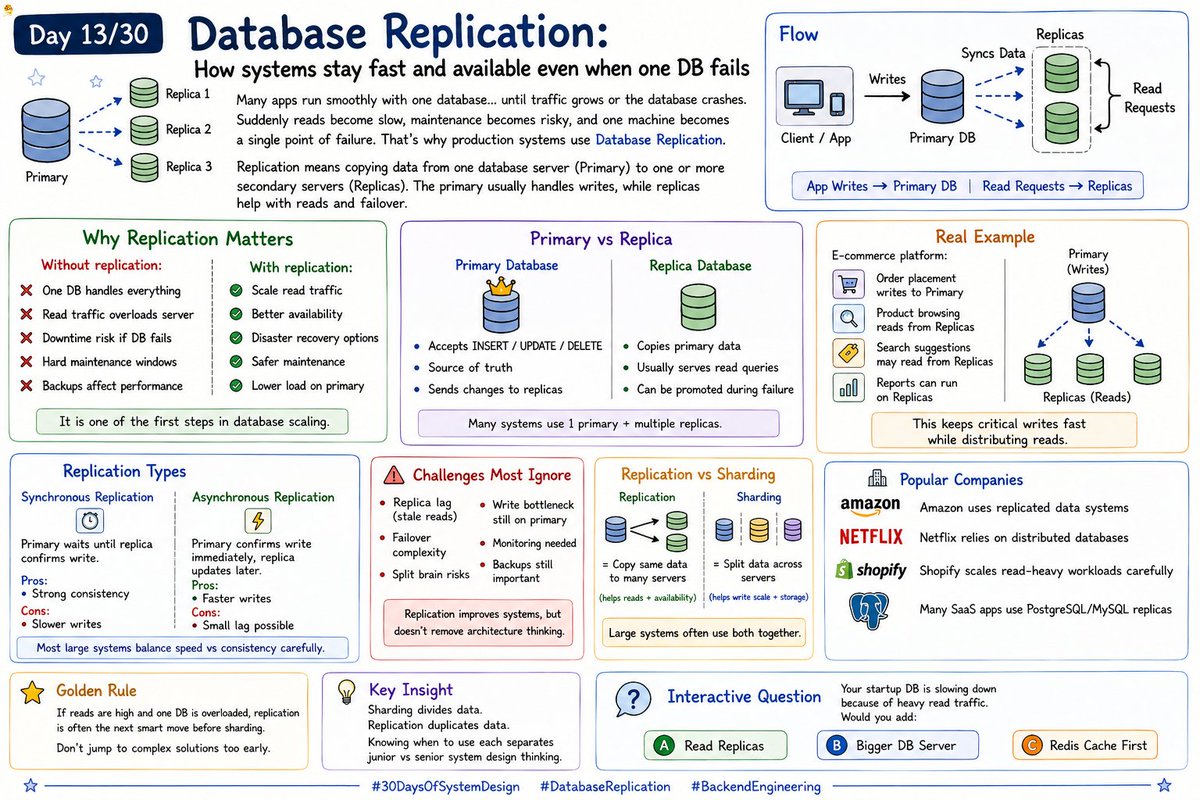
    🧵 Day 13/30 — #SystemDesign Database Replication: How systems stay fast and available even when one DB fails Many apps run smoothly with one database… until traffic grows or the database crashes. Suddenly reads become slow, maintenance becomes risky, and one machine becomes a single point of failure. That’s why production systems use Database Replication. Replication means copying data from one database server (Primary) to one or more secondary servers (Replicas). The primary usually handles writes, while replicas help with reads and failover. Flow: App Writes → Primary DB Primary Syncs Data → Replicas Read Requests → Replicas This improves performance and reliability. ----------------- Why Replication Matters Without replication: → One DB handles everything → Read traffic overloads server → Downtime risk if DB fails → Hard maintenance windows → Backups affect performance With replication: → Scale read traffic → Better availability → Disaster recovery options → Safer maintenance → Lower load on primary It is one of the first steps in database scaling. ------------------- Primary vs Replica Primary Database → Accepts INSERT / UPDATE / DELETE → Source of truth → Sends changes to replicas Replica Database → Copies primary data → Usually serves read queries → Can be promoted during failure Many systems use 1 primary + multiple replicas. ------------------- Real Example E-commerce platform: → Order placement writes to Primary → Product browsing reads from Replicas → Search suggestions may read from Replicas → Reports can run on Replicas This keeps critical writes fast while distributing reads. ------------------- Replication Types 1. Synchronous Replication Primary waits until replica confirms write. Pros: → Strong consistency Cons: → Slower writes 2. Asynchronous Replication Primary confirms write immediately, replica updates later. Pros: → Faster writes Cons: → Small lag possible Most large systems balance speed vs consistency carefully. --------------------- Challenges Most Ignore Replication helps a lot, but adds tradeoffs: → Replica lag (stale reads) → Failover complexity → Split brain risks → Write bottleneck still on primary → Monitoring needed → Backups still important Replication improves systems, but doesn’t remove architecture thinking.
    154526418.1K
  10. Nitin.nn✓@NitinthisSide_
    🧵 Day 13/30 — #SystemDesign Database Replication: How systems stay fast and available even when one DB fails Many apps run smoothly with one database… until traffic grows or the database crashes. Suddenly reads become slow, maintenance becomes risky, and one machine becomes a single point of failure. That’s why production systems use Database Replication. Replication means copying data from one database server (Primary) to one or more secondary servers (Replicas). The primary usually handles writes, while replicas help with reads and failover. Flow: App Writes → Primary DB Primary Syncs Data → Replicas Read Requests → Replicas This improves performance and reliability. ----------------- Why Replication Matters Without replication: → One DB handles everything → Read traffic overloads server → Downtime risk if DB fails → Hard maintenance windows → Backups affect performance With replication: → Scale read traffic → Better availability → Disaster recovery options → Safer maintenance → Lower load on primary It is one of the first steps in database scaling. ------------------- Primary vs Replica Primary Database → Accepts INSERT / UPDATE / DELETE → Source of truth → Sends changes to replicas Replica Database → Copies primary data → Usually serves read queries → Can be promoted during failure Many systems use 1 primary + multiple replicas. ------------------- Real Example E-commerce platform: → Order placement writes to Primary → Product browsing reads from Replicas → Search suggestions may read from Replicas → Reports can run on Replicas This keeps critical writes fast while distributing reads. ------------------- Replication Types 1. Synchronous Replication Primary waits until replica confirms write. Pros: → Strong consistency Cons: → Slower writes 2. Asynchronous Replication Primary confirms write immediately, replica updates later. Pros: → Faster writes Cons: → Small lag possible Most large systems balance speed vs consistency carefully. --------------------- Challenges Most Ignore Replication helps a lot, but adds tradeoffs: → Replica lag (stale reads) → Failover complexity → Split brain risks → Write bottleneck still on primary → Monitoring needed → Backups still important Replication improves systems, but doesn’t remove architecture thinking.
    Download
    113625723K
  11. Show more posts